Buyer's guide / Monitors
Best gaming monitors in 2026: picks for every GPU and budget
The honest 2026 monitor guide that does what the others don't: it matches every pick to the GPU that can actually drive it. Plus the dual-mode 'multiple Hz' explainer, the real OLED burn-in verdict, and why the monitor is the one part of your build the price spike didn't touch.
By Evan Cole · Last updated July 17, 2026
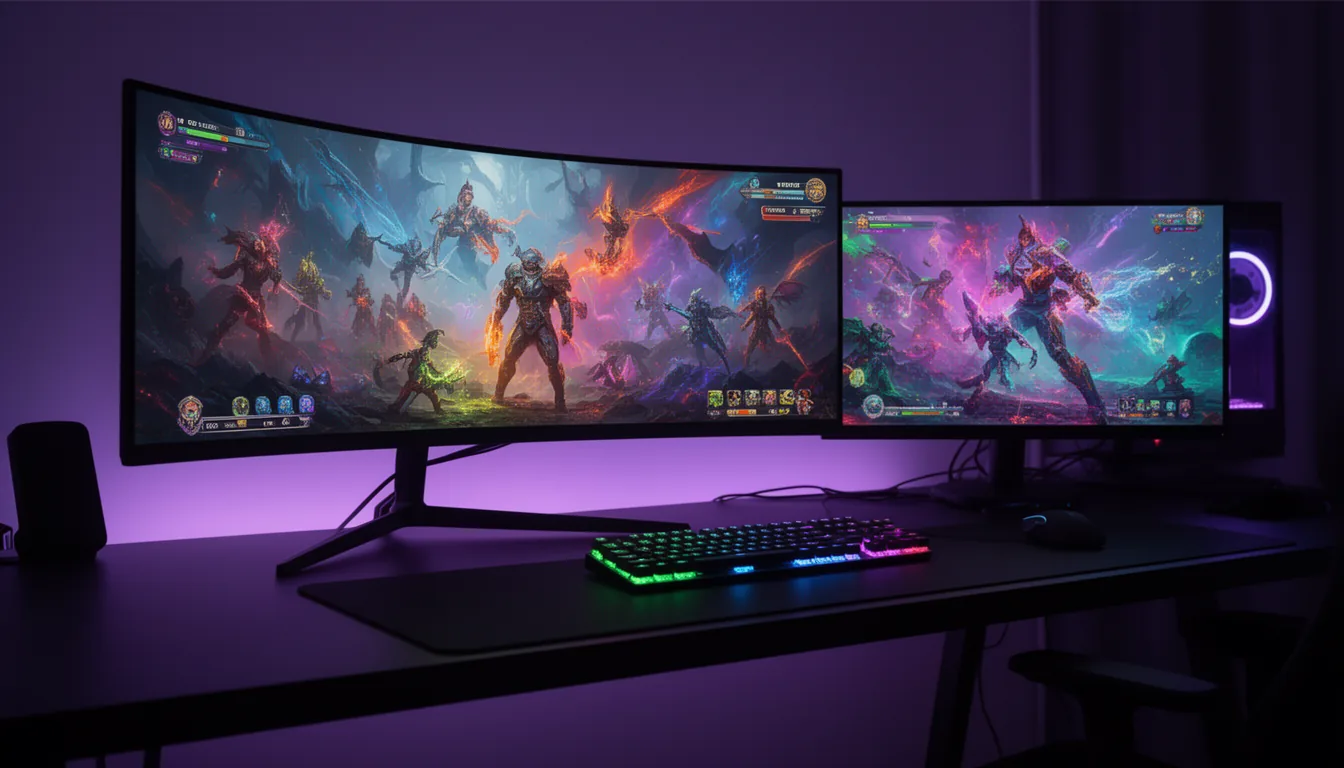
The 2026 twist: your monitor is the part that didn't get pricier
Everywhere else on the build, 2026 hurts: the AI-driven memory shortage inflated RAM, SSDs and GPUs. Monitors are the exception - they use negligible memory, so the shortage barely touches them, and OLED prices have actually been falling. The practical takeaway: if your budget is fixed, this is a good year to spend on the display and hold the line on RAM/SSD capacity.
How to choose in four steps
Most guides jump straight to a panel list. Decide in this order instead:
- Target resolution. 1440p for most, 4K for immersion if your GPU can drive it - our 1440p vs 4K breakdown.
- Target refresh. 144-165Hz is plenty for most; 240Hz is the worthwhile enthusiast step; 360-500Hz is competitive-only - our refresh-rate guide.
- Panel tech. OLED for the best image and motion; Mini-LED IPS/VA for brightness, budget and zero burn-in - our OLED vs IPS comparison.
- GPU reality check. Make sure the card you own (or are buying) can actually feed the panel. This is the step everyone skips - so we put a "GPU needed" line on every pick below, and you can cross-check our best GPUs and build guides.
OLED burn-in in 2026 - the honest answer
Burn-in is real but heavily mitigated now. Panels are more robust, OLED-care features matured (pixel refresh, logo dimming, proximity/absence sensors, cooler power designs), and 3-year warranties that explicitly cover burn-in are the norm. For pure gaming and mixed media, most people are fine. The higher-risk profile is hours of static content daily - taskbars, IDEs, spreadsheets - at high brightness. If that's your day, a Mini-LED LCD (like the budget pick below) has zero burn-in risk and far higher sustained brightness, at the cost of OLED's perfect blacks.
Dual-mode ("multiple Hz") monitors - worth it?
One of 2026's best features, if you play both cinematic single-player and competitive FPS. A dual-mode monitor trades resolution for refresh on a hotkey: drop the resolution by a quarter and the refresh roughly doubles - so a 4K@240Hz panel runs 1080p@480Hz in dual mode (ASUS calls it Frame Rate Boost; LG calls it DFR). One screen is a sharp 4K display for AAA games and a blistering 1080p esports display when speed matters. The catch is the same GPU rule: you need a card that can actually push the high-refresh mode, so dual-mode is a hedge, not a free lunch. 2026 also brought 5K-to-1440p dual-mode panels, which keep the fast mode at a usable resolution instead of a soft 1080p on a big screen.
The picks (and the GPU each one needs)
| Category | Monitor | Panel | GPU needed | Tier |
|---|---|---|---|---|
| Best overall (4K) | ASUS ROG Swift OLED PG27UCDM | 27-inch 4K QD-OLED 240Hz, 0.03ms, DP 2.1 | RTX 5080+ for high-fps 4K (5070 Ti minimum) | Flagship |
| Best 1440p (sweet spot) | Samsung Odyssey OLED G6 (G60SF) | 27-inch 1440p QD-OLED 500Hz, 0.03ms | RTX 5070 Ti / RX 9070 XT for high-fps 1440p | Enthusiast |
| Best budget | AOC Q27G3XMN | 27-inch 1440p VA + Mini-LED 180Hz, HDR local dimming | RX 9060 XT 16GB / RTX 5060 Ti | Entry |
| Best 4K value | MSI MPG 272URX | 27-inch 4K QD-OLED 240Hz, 0.03ms | RTX 5080+ for high-fps 4K | Flagship |
| Best ultrawide (34-inch) | ASUS ROG Swift PG34WCDN / MSI MPG 341CQR X36 | 34-inch 3440x1440 QD-OLED (Gen5) 360Hz | RTX 5080 / 5090 - ultrawide is demanding | Premium - verify |
| Best Tandem OLED / dual-mode | ASUS ROG Swift OLED PG27UCWM | 27-inch 4K Tandem RGB OLED 240Hz native / 1080p @ 480Hz dual-mode, 1000 nits | RTX 5080+ for 4K; drop to 1080p@480 for esports | Flagship - unannounced at launch |
Best overall (4K): ASUS ROG Swift OLED PG27UCDM
— VerdictBits editorial score
Reasons to buy
- RTINGS' #1 overall monitor for 2026
- 27-inch 4K QD-OLED: sharpness plus per-pixel OLED blacks
- 240Hz at 0.03ms with DisplayPort 2.1
- Best all-round mix of 4K detail and OLED motion
Reasons to avoid
- Needs an RTX 5080+ for high-fps 4K (5070 Ti minimum)
- Premium tier
- QD-OLED blacks rise toward grey in bright rooms
RTINGS' #1 overall for 2026 - the best all-round mix of 4K sharpness and OLED speed. Panel: 27-inch 4K QD-OLED, 240Hz, 0.03ms, DP 2.1. GPU needed: RTX 5080+ for high-fps 4K (5070 Ti minimum). Tier: Flagship. Check current price →
Best 1440p (sweet spot): Samsung Odyssey OLED G6 (G60SF)
— VerdictBits editorial score
Reasons to buy
- World's first 500Hz OLED for esports-grade motion
- 1440p QD-OLED: the enthusiast sweet spot
- 0.03ms response time
- Frequently discounted — check the live listing
Reasons to avoid
- 500Hz only pays off with a GPU that can push those frames
- QD-OLED blacks lift in bright rooms
- 1440p, not 4K sharpness
The world's first 500Hz OLED - the 1440p enthusiast + esports sweet spot, and frequently on sale - check the live listing. Panel: 27-inch 1440p QD-OLED, 500Hz, 0.03ms. GPU needed: RTX 5070 Ti / RX 9070 XT for high-fps 1440p. Tier: Enthusiast. Check current price →
Best budget: AOC Q27G3XMN
— VerdictBits editorial score
Reasons to buy
- Rare Mini-LED HDR with local dimming at the budget tier
- RTINGS' budget pick
- Zero OLED burn-in risk
- 1440p at 180Hz on a budget GPU
Reasons to avoid
- No HDMI 2.1
- Some VA black smear in fast motion
- 180Hz, below the 240Hz+ OLED tier
Rare Mini-LED HDR at this tier (RTINGS' budget pick). Trade-offs: no HDMI 2.1 and some VA black smear. Panel: 27-inch 1440p VA + Mini-LED, 180Hz, HDR local dimming. GPU needed: RX 9060 XT 16GB / RTX 5060 Ti. Tier: Entry. Check current price →
Best 4K value: MSI MPG 272URX
— VerdictBits editorial score
Reasons to buy
- PCWorld's top 4K OLED pick
- Same 4K 240Hz QD-OLED class as the overall winner
- 0.03ms OLED response
- Costs a little less than the ASUS flagship
Reasons to avoid
- Still needs an RTX 5080+ for high-fps 4K
- QD-OLED bright-room black lift
- Premium OLED pricing
PCWorld's top 4K OLED pick - the same 4K-240Hz QD-OLED class as the ASUS for a little less. Panel: 27-inch 4K QD-OLED, 240Hz, 0.03ms. GPU needed: RTX 5080+ for high-fps 4K. Tier: Flagship. Check current price →
Best ultrawide (34-inch): ASUS ROG Swift PG34WCDN / MSI MPG 341CQR X36
— VerdictBits editorial score
Reasons to buy
- First 360Hz 34-inch OLED (the segment was stuck at 175-240Hz for years)
- Gen5 QD-OLED ultrawide immersion
- 3440x1440 wraparound for sim and AAA games
Reasons to avoid
- Ultrawide is GPU-demanding — RTX 5080/5090 territory
- Premium pricing (verify before buying)
- 34-inch ultrawide needs desk depth
2026's ultrawide leap: the first 360Hz 34-inch OLED (the segment was stuck at 175-240Hz for years). Panel: 34-inch 3440x1440 QD-OLED (Gen5), 360Hz. GPU needed: RTX 5080 / 5090 - ultrawide is demanding. Tier: Premium - verify. Check current price →
Best Tandem OLED / dual-mode: ASUS ROG Swift OLED PG27UCWM
— VerdictBits editorial score
Reasons to buy
- Tandem RGB OLED: brighter (1000 nits) and longer-lived dual-stack panel
- 4K 240Hz native plus 1080p 480Hz dual-mode on a hotkey
- Newest-generation flagship panel tech
Reasons to avoid
- Price not published at launch — verify before buying
- Just launched — expect tight stock
- Dual-mode's fast mode still needs a GPU that can feed it
The new Tandem-OLED flagship (brighter, longer-lived dual-stack panel) with 4K/1080p dual-mode. Just launched - expect tight stock; verify price and availability before buying. Panel: 27-inch 4K Tandem RGB OLED, 240Hz native / 1080p @ 480Hz dual-mode, 1000 nits. GPU needed: RTX 5080+ for 4K; drop to 1080p@480 for esports. Tier: Flagship - unannounced at launch. Check current price →
We do not print monitor prices — they move with stock and promotions, so each pick carries an authored tier and a link to the live listing instead. The ASUS Tandem PG27UCWM had no published price at launch, so verify it before buying. Monitors aren't hit by the memory shortage, but OLED stock on new flagships can be tight.
Compare retailers: our picks link to Amazon — it's also worth cross-checking current gaming monitor prices on Newegg →.
The measured numbers (aggregated from independent labs)
We don't test monitors in-house. Below are the key panel measurements for the picks above — brightness, HDR peak, colour gamut, response and input lag — pulled from independent labs and cited. Read the small note under each figure: the rows come from different labs measuring under different conditions, so this is a per-monitor reference, not a single controlled shoot-out.
| Monitor | Panel | Max Hz | SDR brightness higher = better | HDR peak higher = better | DCI-P3 higher = better | Response lower = better | Input lag lower = better | Contrast higher = better |
|---|---|---|---|---|---|---|---|---|
| Best overall (4K) ASUS PG27UCDM src: TFTCentral ↗ | QD-OLED Samsung QD-OLED (RGB-stripe) | 240 | 263 nits SDR peak, Uniform Brightness on | 1012 nits 10% window (HDR Console mode) | 99.6% absolute coverage | 0.5 ms GtG average | not found source's lag line mislabels the model (names PG27AQDP) - no clean PG27UCDM figure | Inf OLED - perfect black (0 cd/m2) |
| Best 1440p (sweet spot) Samsung G60SF src: Tom's Hardware ↗ | QD-OLED Samsung QD-OLED Gen3 (matte) | 500 | 322 nits SDR peak white | 527 nits 25% window (true 10% would be higher) | ~108 measured, Native mode (over-covers DCI-P3) | not found no lab-measured GtG ms published (mfr spec 0.03ms only) | 16 ms total input lag at 500Hz | Inf OLED - perfect black (0 cd/m2) |
| Best budget AOC Q27G3XMN src: TFTCentral ↗ | VA Mini-LED 336-zone Mini-LED (not OLED - zero burn-in) | 180 | 657 nits SDR peak, local dimming off | 1365 nits max across window sizes | 97.4% absolute coverage | 5.2 ms GtG average, 180Hz, Medium overdrive | 3.29 ms total lag at 180Hz | 3565:1 native (dimming off); ~8,600-125,000:1 with Mini-LED on |
| Best 4K value MSI 272URX src: KitGuru ↗ | QD-OLED Samsung QD-OLED 4th-gen | 240 | 258 nits SDR peak full-screen white, User mode | >1000 1-2% APL | 98.9% measured (CIE1976) | <1 OSRTT average | 2.16 ms OSRTT latency average | Inf OLED - perfect black (0 cd/m2) |
| Best ultrawide (34-inch) ASUS PG34WCDN src: Tom's Hardware ↗ | QD-OLED Samsung QD-OLED 5th-gen (RGB-stripe) | 360 | 500 nits 25% window, Uniform Brightness off (full-field 300 is mfr spec) | >504 25% window (small-window ~1,300 is ASUS-claimed) | 106.5% measured (Calman) - >100% = over-coverage of DCI-P3 | 0.24 ms LDAT white-square draw (not a GtG average) | 10.3 ms LDAT average at 360Hz | Inf OLED - perfect black (0 cd/m2) |
| Best Tandem OLED / dual-mode ASUS PG27UCWM src: ASUS ↗ | Tandem RGB OLED dual-mode 4K 240Hz / 1080p 480Hz 4th-gen Tandem (dual-stack) - just launched | 240 / 480 | not tested no lab review yet | not tested no lab review yet | not tested no lab review yet | not tested no lab review yet | not tested no lab review yet | not tested no lab review yet |
How to read this. Every figure is a single lab's measurement under the condition shown beneath it — and different rows come from different labs (TFTCentral, Tom's Hardware, KitGuru). Because HDR "peak" is quoted at different window sizes and response time is measured different ways, treat these as per-monitor references, not a controlled head-to-head. “Inf” contrast = OLED perfect black; “not tested” = no independent lab review exists yet (we don't fill it with marketing numbers).
Which GPU actually drives each panel
The step every other guide skips: a fast panel is wasted if your graphics card can't feed it. This matrix is our own synthesis from our GPU testing — the card that realistically hits each resolution and refresh target (with upscaling where it's the norm at 4K). No external lab data; it's the pairing guidance the spec-only guides never close.
| Resolution | Entry high-refresh | Enthusiast | Max / esports |
|---|---|---|---|
| 1080p | 144-165Hz RTX 5060 / RX 9060 | 240Hz RTX 5060 Ti / RX 9060 XT | 360Hz+ (esports) RTX 5070 Ti+ to sustain the frames |
| 1440p | 144-165Hz RX 9060 XT / RTX 5060 Ti | 240Hz RTX 5070 Ti / RX 9070 XT | 480-500Hz (OLED) RTX 5080 to feed the high-refresh tier |
| 4K | 120-144Hz RTX 5070 Ti (with upscaling) | 240Hz RTX 5080 | 240Hz maxed / future headroom RTX 5090 |
| Ultrawide 3440x1440 | 144-175Hz RTX 5070 Ti | 240Hz RTX 5080 | 360Hz RTX 5090 |
Our synthesis from the 2026 GPU ranking and the 1440p head-to-head. “Drives” means sustaining frame rates near the panel's refresh ceiling at that resolution; 4K assumes the upscaling that's standard there. Match the panel to the card — buying a 500Hz screen a budget GPU can't feed is wasted money.
Monitor jargon, decoded
- QD-OLED vs WOLED
- Both are OLED (per-pixel light, perfect blacks). QD-OLED (Samsung) is more colour-vivid but its blacks lift toward grey in bright rooms; WOLED (LG), especially 2026 RGB-Tandem panels, holds contrast better in light and hits brighter highlights.
- Response time (GtG)
- How fast a pixel changes shade, grey-to-grey, in milliseconds — lower is sharper motion. OLED is effectively instant (well under 1 ms); a fast VA like the Mini-LED pick sits around 5 ms. Beware the marketing “0.03 ms” figure, which is a best-case spec, not a measured average.
- Input lag
- The delay between the GPU sending a frame and the panel showing it, in milliseconds — lower feels more responsive. Measured differently by different labs, so compare within a lab, not across.
- HDR peak & window size
- How bright the panel gets in HDR, in nits — but only meaningful with the window size. A “1,000 nit” figure at a 1 % window (a tiny highlight) is not the same as at a 25 % window (a quarter of the screen). That's why our table shows the window per figure.
- DCI-P3 gamut
- The share of the wide DCI-P3 colour space the panel can show, as a percentage. ~95 %+ is excellent; above 100 % means it over-covers P3 (great saturation, may need a mode to rein in for accurate work).
- Contrast & “Inf”
- The ratio between brightest white and darkest black. OLED turns pixels fully off, so black is 0 and contrast is effectively infinite (“Inf”). An LCD/Mini-LED has a finite native contrast (a few thousand:1) that local dimming can raise.
- Dual-mode / Frame Rate Boost
- A hotkey that trades resolution for refresh — e.g. a 4K 240 Hz panel runs 1080p at 480 Hz. One screen is a sharp 4K display for AAA games and a blistering esports display when speed matters. You still need a GPU that can feed the fast mode.
- Tandem OLED
- A 2026 dual-stack OLED panel: two emissive layers for higher, longer-lasting brightness and better burn-in resistance. The newest flagship tech — and still too new for most labs to have measured.
Frequently asked questions
Is OLED worth it for gaming in 2026?
For most enthusiast buyers, yes. OLED gives per-pixel perfect blacks, effectively instant response (0.03ms), and the best motion clarity - and in 2026 the panels got brighter (Tandem and RGB-stripe WOLED/QD-OLED), text got sharper, and prices fell. The catch is burn-in risk with heavy static desktop use, and QD-OLED's blacks rise to grey in bright rooms. If you do lots of mixed productivity work or game in a sunlit room, a Mini-LED IPS/VA is still the safer pick.
Is OLED burn-in still a problem in 2026?
It's real but heavily mitigated. Three things changed: panel generations are more robust, OLED-care features matured (pixel refresh, logo dimming, proximity/absence sensors, cooler power designs), and 3-year warranties that explicitly cover burn-in are now the norm. For pure gaming and mixed media, most people are fine. The higher-risk profile is still hours of static content daily (taskbars, IDEs, spreadsheets) at high brightness - if that's you, consider a Mini-LED LCD, which has zero burn-in risk.
1440p or 4K for gaming in 2026 - which should I get?
1440p is the sweet spot for most; 4K is for immersion if you have the GPU. 1440p at 240-360Hz on an OLED is the mainstream enthusiast target and far easier to drive at high frame rates. 4K looks sharper and is the premium all-rounder, but high-fps 4K demands a top-tier card. The honest rule: match the monitor to your GPU - see our 1440p vs 4K breakdown, and check the 'GPU needed' column in the picks below.
What refresh rate do I actually need - 144, 240, 360 or 500Hz?
The 60-to-144Hz jump is transformative; after that it's diminishing returns. 144-165Hz is plenty for most; 240Hz is a noticeable, worthwhile step for fast games and is now standard on OLEDs; 360Hz+ and 500Hz are for dedicated competitive FPS players who can actually push those frame rates. There's no point buying a 500Hz panel if your GPU renders 120fps in the games you play. See our 144Hz vs 240Hz vs 360Hz guide.
Is a dual-mode ('multiple Hz') monitor worth it?
It's genuinely useful if you play both cinematic single-player and competitive FPS. A dual-mode monitor trades resolution for refresh on a hotkey: drop the resolution by a quarter and the refresh roughly doubles - so a 4K@240Hz panel runs 1080p@480Hz (ASUS calls it Frame Rate Boost, LG calls it DFR). You get one screen that's a sharp 4K display for AAA games and a blistering 1080p esports display when speed matters. The catch: you need a GPU that can actually feed the high-refresh mode, and older 32-inch versions made 1080p look soft (the 2026 shift to 27-inch and 5K-to-1440p dual-mode fixes that).
WOLED vs QD-OLED - what's the difference?
Both are OLED; the subpixel tech differs. QD-OLED (Samsung Display) gives more vivid, saturated colour but its blacks rise toward grey/purple in bright rooms. WOLED (LG Display), especially the 2026 4th-gen Tandem RGB panels, handles bright rooms better and hits brighter HDR highlights. In a dark room QD-OLED often looks punchier; in a lit room WOLED holds contrast better. Both got RGB-stripe subpixel layouts in 2026, which fixed the old text-fringing complaint.
What GPU do I need to drive a 4K 240Hz (or 1440p 480Hz) monitor?
High-fps 4K (near 240fps) realistically needs an RTX 5080 or 5090; an RTX 5070 Ti is the practical minimum for 4K if you accept upscaling and sub-max frame rates. For high-fps 1440p (feeding a 240-500Hz panel), an RTX 5070 Ti or RX 9070 XT is the sweet spot. A budget card like an RX 9060 XT pairs best with a 1440p 180Hz panel, not a 500Hz one. Buying a fast panel your GPU can't feed is wasted money - match the two. See our best GPUs and gaming PC builds guides.
Are gaming monitors affected by the 2026 memory price spike?
No - and that's the good news. The AI-driven DRAM/NAND shortage inflating RAM, SSD and GPU prices barely touches monitors, which use negligible memory. In fact OLED monitor prices have been falling. So 2026 is a good time to buy the display even though it's a bad time to buy RAM: if your budget is fixed, spend on the monitor now and hold the line on RAM/SSD capacity.
Editorial note on sources
Panel generations, specs and category winners are drawn from independent testing and panel analysis - RTINGS, TFTCentral, TechSpot / Monitors Unboxed, and manufacturer spec sheets (ASUS, Samsung) - cited inline. The dual-mode mechanism is per TFTCentral's dual-mode explainer. The GPU-pairing guidance is our own, tied to our GPU testing synthesis. We do not print monitor prices — they move weekly, so each pick carries an authored tier and a link to the live listing instead. Panel measurements are drawn from independent testing, cited inline. Last verified July 2026.
See it in a matched setup
All setups →Pink
The pink setupA soft pastel-pink build across keyboard, mouse, headset and deskmat — with the shade differences called out honestly and a fully-synced Razer Quartz option for people who want an exact match.
Purple
The purple setupA purple-family build across keyboard, mouse and headset — honest up front that these are three different purple shades, because no single brand makes a complete, exactly-matched purple set in 2026.
Kids
Kids keyboard & mouseA parent's guide to a first keyboard and mouse — sized small, quiet, durable and fun, chosen for the buyer, not marketed at the child.
Related buyer's guides
All reviews →Buyer's guide / Monitors
OLED vs IPS for gaming in 2026: which should you buy?
OLED wins the picture — perfect blacks, per-pixel HDR, fastest motion and now the highest refresh rates; IPS wins brightness, price and zero burn-in. A neutral, evidence-based breakdown with the honest 2026 burn-in verdict — and the GPU tie-in the monitor sites skip.
Read the comparison →
Buyer's guide / Monitors
144Hz vs 240Hz vs 360Hz: is a high-refresh monitor worth it in 2026?
The 60→144Hz jump is transformative; after that it's diminishing returns. What the studies actually show, the GPU you need to feed each refresh rate, and which is worth it for how you play.
Read the comparison →
Productivity / Monitors
Best monitors for programming and development in 2026
For coding, text sharpness beats refresh rate. What actually matters (pixel density, a single-cable USB-C dock, a KVM), the honest dual-vs-ultrawide call, and the picks - from a 27-inch 4K workhorse to a 6K for Mac devs.
See the picks →
Buyer's guide / Storage
Best SSD for gaming in 2026: what actually matters (Gen4 > Gen5)
Past a good PCIe 4.0 drive your SSD barely changes gaming, so Gen5 is a waste for pure play. The honest sourced verdict, what to buy after the price spike and Crucial's exit, capacity advice, and how storage fits your GPU/CPU build.
Read the guide →
Buyer's guide / Headphones
The best gaming headphones in 2026
Six headsets for six players: a planar-magnetic flagship, the best wireless value, an esports low-latency pick, an open-back audio champion, the wired value benchmark, and the lightest budget wireless option.
6 picks →
Buyer's guide / Mice
The best mouse in 2026
Six picks across gaming, productivity and ergonomics: a 48.9 g esports flagship, an innovative haptic-click mouse, the budget standout, the productivity king, a vertical ergonomic mouse, and a small-hands all-rounder.
6 picks →