Productivity / Monitors
Best monitors for programming and development in 2026
For coding, text sharpness beats refresh rate. Here's what actually matters (pixel density, a single-cable USB-C dock, a KVM), the honest dual-vs-ultrawide call, and the picks - from a 27-inch 4K workhorse to a 6K panel for Mac devs.
By Evan Cole · Last updated July 17, 2026
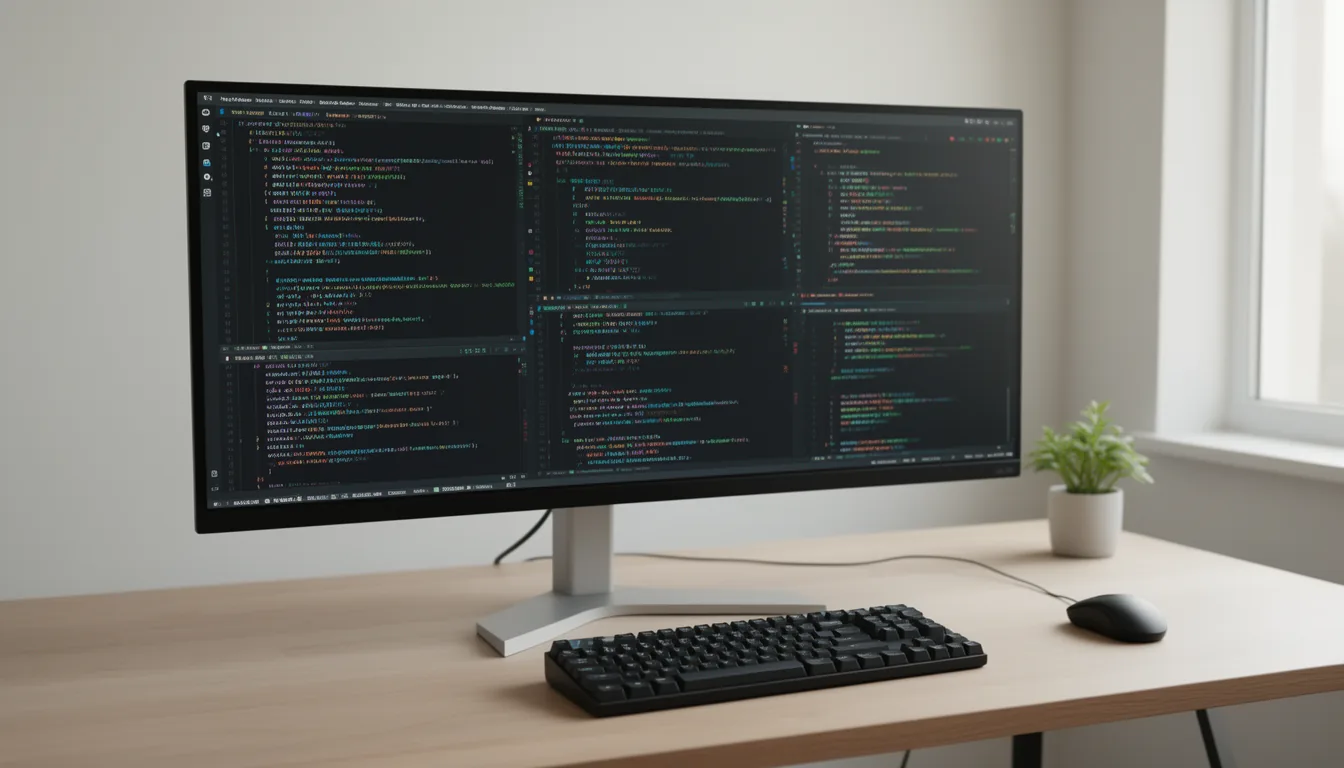
What actually matters for a coding monitor
The dev priority stack inverts gaming: text sharpness, all-day comfort and desk-integration beat refresh rate and response time. In order:
- Pixel density (PPI) for crisp text - the single biggest factor. More pixels per inch render code glyphs smoothly. See the chart below.
- A single-cable USB-C / Thunderbolt dock - one cable for video, data and laptop charging (90W+ to charge a dev laptop; 140W for the biggest). The killer laptop-dev feature.
- A KVM - share one keyboard and mouse between two machines (work laptop + personal rig).
- IPS panel + full ergonomics - consistent colour and viewing angles, plus height/tilt/swivel and pivot-to-portrait for reading long files and logs.
- Matte coating + eye comfort - anti-glare for all-day text, flicker-free, low blue light.
Text sharpness: the pixel-density chart
Pixel density (PPI) is exactly resolution divided by size, and it's what makes code text crisp. Here's how the common dev panels compare - Apple's "retina" benchmark is about 218 PPI:
PPI derived from resolution and screen size. 27-inch 4K (163 PPI) is the practical sweet spot on Windows/Linux; Mac users want 5K/6K (~218 PPI retina) because macOS scaling favours it. A 32-inch 4K drops to ~138 PPI - bigger, but softer text than a 27-inch 4K.
macOS vs Windows: a real scaling difference
This changes your pick. Windows and Linux handle fractional scaling (e.g. 150% on a 27-inch 4K) gracefully, so a good 27-inch 4K is sharp and spacious. macOS looks best at integer "retina" densities (~218 PPI); at 163 PPI (27-inch 4K) macOS non-integer scaling can look softer. So Mac devs benefit far more from 5K/6K panels, while Windows/Linux devs are well served by 27-inch 4K. If you're deciding platform first, see our Mac vs PC guide.
Dual, ultrawide, or one big panel?
| Setup | Best for | The trade-off |
|---|---|---|
| Dual 27" 4K | Most flexible; sharpest text; context separation (IDE / docs / terminal); each pivots to portrait | A bezel down the middle; more desk width and two arms |
| Single ultrawide (34-40") | Bezel-free canvas; one cable; snap-tiling 'virtual dual'; clean look | Can't pivot to portrait; usually fewer vertical pixels; premium price |
| Single 32" 4K | Simplest; lots of area on one panel | ~138 PPI = softer text than 27" 4K; no context separation |
The picks
Best overall dev monitor: Dell UltraSharp U2725QE
— VerdictBits editorial score
Reasons to buy
- Sharp 4K text (163 PPI at 27 inches)
- Single-cable Thunderbolt 4 dock charges your laptop (140W PD)
- Built-in KVM for two machines
- RTINGS' upper-mid-range programming pick
Reasons to avoid
- Premium for a productivity panel
- A text-first productivity panel — not for high-refresh gaming
The default best all-round dev monitor: sharp 4K text, single-cable Thunderbolt dock that charges your laptop, a KVM for two machines, and superb ergonomics. RTINGS' upper-mid-range programming pick.
Spec: 27" 4K IPS Black, Thunderbolt 4 hub, 140W PD, KVM. Tier: Upper mid-range. Check current price →
Best power setup (dual): Dell UltraSharp U2725QE x2
— VerdictBits editorial score
Reasons to buy
- Two identical panels match in colour and height
- Each pivots to portrait for long files/logs
- KVM shares one keyboard and mouse across machines
- The classic pro dev desk
Reasons to avoid
- You are buying two panels, not one
- A bezel down the middle; needs desk width and two arms
Two identical panels match in colour and height, each pivots to portrait for long files/logs, and the built-in KVM lets both your machines share one keyboard and mouse. The classic pro dev desk.
Spec: two identical 27" 4K panels. Tier: Upper mid-range, doubled. Check current price →
Best coding-specific: BenQ RD280U
— VerdictBits editorial score
Reasons to buy
- 3:2 aspect shows ~7 extra lines of code vs 16:9
- Nano Matte anti-glare panel
- Text-tuned coding modes
- 90W USB-C and KVM
Reasons to avoid
- Price to verify before buying
- 3:2 aspect is unusual — less ideal for video/gaming
Purpose-built for coders: the 3:2 aspect ratio shows ~7 extra lines of code vs 16:9 without scrolling, plus a matte anti-glare panel and text-tuned 'coding' modes.
Spec: 28.2" 4K, 3:2 aspect, Nano Matte, 90W USB-C, KVM. Tier: Mid-range - verify. Check current price →
Best ultrawide for coding: Dell UltraSharp U3425WE
— VerdictBits editorial score
Reasons to buy
- Bezel-free wide canvas with snap-tiling ('virtual dual')
- One-cable Thunderbolt hub plus KVM
- Wirecutter's top ultrawide for most people
Reasons to avoid
- Can't pivot to portrait
- Usually fewer vertical pixels than dual 4K
A bezel-free wide canvas with snap-tiling that gives you 'virtual dual', one cable, and a KVM. Wirecutter's top ultrawide for most people.
Spec: 34" 3440x1440 curved IPS Black, Thunderbolt hub, KVM. Tier: Upper mid-range. Check current price →
Best 5K/6K for Mac devs: ASUS ProArt PA32QCV (6K) / Apple Studio Display (5K)
— VerdictBits editorial score
Reasons to buy
- ~219 PPI 6K — razor-sharp retina text for macOS
- RTINGS' #1 programming monitor
- Far better value than Apple's 5K Studio Display
Reasons to avoid
- Premium tier
- Retina density mainly benefits Mac; Windows/Linux are well served by 27-inch 4K
Mac text looks best at retina density (218 PPI). The ProArt 6K is RTINGS' #1 programming monitor and far better value than Apple's 5K Studio Display; both are razor-sharp for macOS.
Spec: 31.5" 6K ~219 PPI / 27" 5K 218 PPI. Tier: Premium. Check current price →
Best value: ASUS ProArt PA279CRV
— VerdictBits editorial score
Reasons to buy
- Near the U2725QE dev experience for less
- Creator-grade colour (Calman-verified, 99% DCI-P3/Adobe RGB)
- 96W USB-C
- The value pick if you also design
Reasons to avoid
- Fewer dock/KVM niceties than the pricier Dell
Near the U2725QE's dev experience for less, plus creator-grade colour (Calman-verified). The value pick if you also design.
Spec: 27" 4K IPS, 96W USB-C, 99% DCI-P3/Adobe RGB. Tier: Mid-range. Check current price →
Set it up for your eyes
A great panel poorly placed still strains your eyes. Put the top of the screen at or just below eye level (a monitor arm makes this easy and frees desk space), keep brightness matched to the room (~100-150 nits for typical office light), use a matte screen under window glare, and follow the 20-20-20 rule on long sessions. It's the cheapest performance upgrade you'll make.
Compare retailers: our picks link to Amazon — it's also worth cross-checking current monitor prices on Newegg →.
Frequently asked questions
What resolution is best for a programming monitor?
4K at 27 inches is the sweet spot for most developers - it hits 163 PPI, which renders code text crisply without the softness of 1440p (109 PPI). If you're on a Mac, aim higher: macOS looks best at 'retina' density (218 PPI), so a 27-inch 5K or 32-inch 6K panel is sharper than 4K for you. A 32-inch 4K is big but drops to ~138 PPI, so text is softer than on a 27-inch 4K.
Is a 27-inch 4K monitor good for coding?
Yes - it's the pragmatic best choice for most developers on Windows or Linux, where fractional scaling (around 150%) works well and 163 PPI gives sharp text with lots of usable space. Mac users benefit from going to 5K/6K because macOS scaling favours retina density, but on Windows/Linux a good 27-inch 4K like the Dell U2725QE is the default recommendation.
Dual monitors or a single ultrawide for programming?
Dual 27-inch 4K is the most flexible and gives the sharpest text - separate screens for your IDE, browser docs and terminal, each able to pivot to portrait, and colour/height that match when the panels are identical. A single ultrawide (34-40 inch) gives a clean bezel-free canvas with snap-tiling for a 'virtual dual', one cable and a tidy look, but you can't pivot it and it usually has fewer vertical pixels. A single 32-inch 4K is simplest but has softer text and no context separation.
Why does a USB-C or Thunderbolt monitor matter for developers?
If you code on a laptop, a USB-C/Thunderbolt 'hub' monitor lets a single cable carry video, data (its USB ports, ethernet, webcam) and laptop charging at once - plug in one cable and your whole desk comes alive. Look for 90W+ power delivery to charge a 14-16 inch dev laptop; 140W (like the Dell U2725QE) covers the most powerful ones. Many also include a KVM to share your keyboard and mouse between two machines.
Is a matte or glossy screen better for long coding sessions?
Matte (anti-glare) is the developer consensus for all-day text work, because it cuts the reflections that make you squint under office or window lighting. Glossy panels have punchier contrast but distracting reflections. BenQ's coding monitors use a 'Nano Matte' panel marketed specifically for this. It's still a mild preference - if your room is dim and controlled, glossy is fine.
Are monitor prices affected by the 2026 memory shortage?
Not directly. The 2026 shortage is a DRAM and NAND flash (RAM and SSD) squeeze driven by AI datacenter demand - it inflates memory, storage and whole PCs, but display panels are a separate supply chain. So a monitor is one of the few 2026 tech purchases not caught in the memory crunch; it's a reasonable time to buy the display even though it's a bad time to buy RAM.
Sources & method
Panel picks and specs are from RTINGS' programming guide, manufacturer spec sheets (Dell, ASUS, BenQ, Apple) and hands-on developer reviews, cited inline; PPI figures are computed from resolution and size. The memory-shortage context is per IDC / TrendForce (the shortage is DRAM/NAND-specific, not display panels). We do not print monitor prices — they swing on sales, so each pick carries an authored tier and a link to the live listing instead; measurements are drawn from independent testing, cited inline. Last verified July 2026.
See it in a matched setup
All setups →Pink
The pink setupA soft pastel-pink build across keyboard, mouse, headset and deskmat — with the shade differences called out honestly and a fully-synced Razer Quartz option for people who want an exact match.
Purple
The purple setupA purple-family build across keyboard, mouse and headset — honest up front that these are three different purple shades, because no single brand makes a complete, exactly-matched purple set in 2026.
Kids
Kids keyboard & mouseA parent's guide to a first keyboard and mouse — sized small, quiet, durable and fun, chosen for the buyer, not marketed at the child.
Related buyer's guides
All reviews →Buyer's guide / Monitors
OLED vs IPS for gaming in 2026: which should you buy?
OLED wins the picture — perfect blacks, per-pixel HDR, fastest motion and now the highest refresh rates; IPS wins brightness, price and zero burn-in. A neutral, evidence-based breakdown with the honest 2026 burn-in verdict — and the GPU tie-in the monitor sites skip.
Read the comparison →
Buyer's guide / Monitors
144Hz vs 240Hz vs 360Hz: is a high-refresh monitor worth it in 2026?
The 60→144Hz jump is transformative; after that it's diminishing returns. What the studies actually show, the GPU you need to feed each refresh rate, and which is worth it for how you play.
Read the comparison →
Buyer's guide / Monitors
Best gaming monitors in 2026: picks for every GPU and budget
The honest 2026 monitor guide that does what the others don't - it matches every pick (1440p, 4K, OLED, ultrawide) to the GPU that can actually drive it. Plus the dual-mode explainer, the real burn-in verdict, and why the monitor is the one part the price spike didn't touch.
See the picks →
Tool / PC builds
PC build configurator: build a custom PC by budget
A free PC builder / computer configurator: enter a budget and get a balanced, compatible AMD or Intel gaming PC that never goes over it - swap any part with Change and it stays under budget. Instant, no sign-up.
Use the tool →
Buyer's guide / GPUs
GPU FPS benchmarks 2026: what FPS will you actually get?
The honest version: real rendered FPS with native separated from DLSS/FSR frame generation - because a '5070 = 4090' claim only holds with fake frames on. What current GPUs actually deliver, and how to match FPS to your monitor and build.
Read the guide →
Buyer's guide / Power supplies
Best PSU for gaming in 2026: the right wattage for your build
Bigger isn't better. The right power supply for each RTX 50 / RX 9000 build - the wattage you actually need, ATX 3.1 and the 12V-2x6 connector explained plainly, and how to make sure nothing melts.
See the picks →