Buyer's guide / Storage
Best SSD for gaming in 2026: what actually matters (and what doesn't)
Past a good PCIe 4.0 drive, your SSD barely changes gaming - so Gen5 is a waste for pure play. Here's the honest, sourced verdict, what to buy now that prices have spiked and Crucial is being retired, and where storage really fits in your build.
By Evan Cole · Last updated August 9, 2026
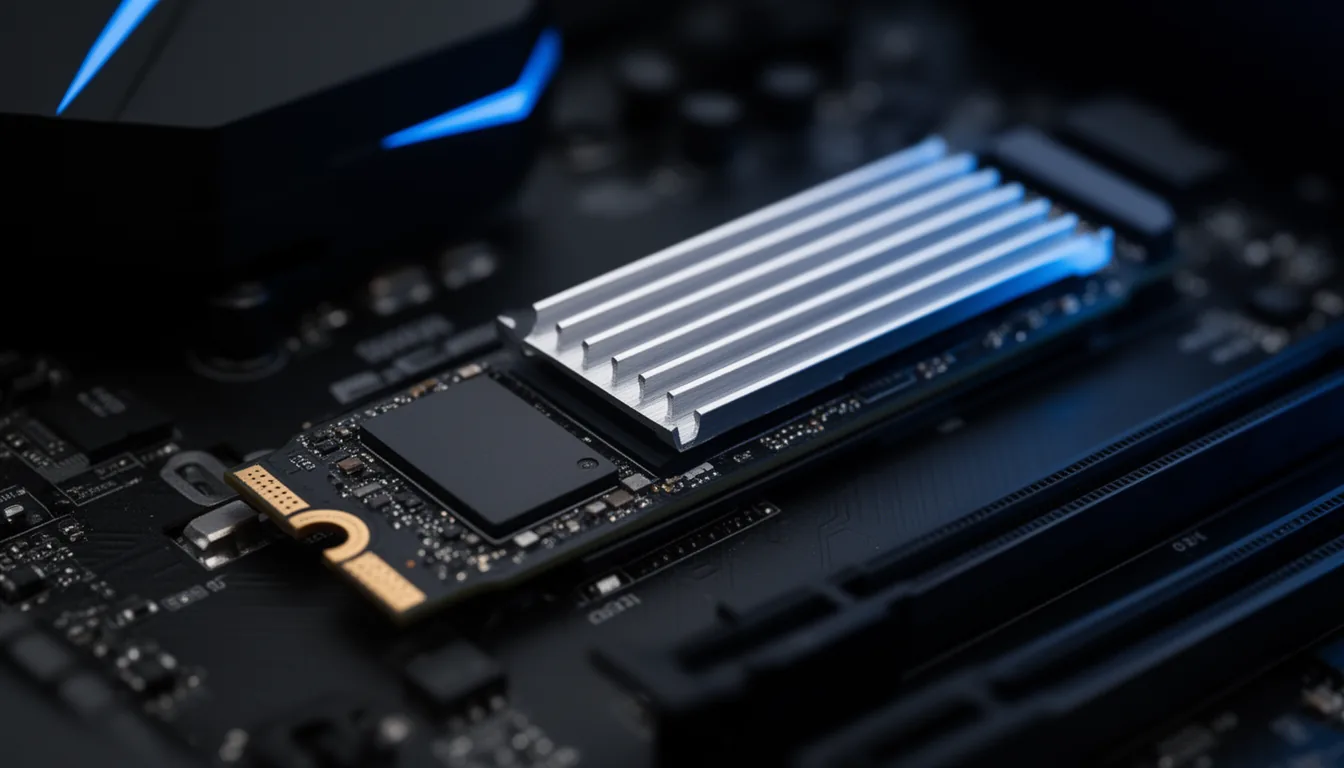
First, the 2026 reality: prices spiked and Crucial is on its way out
You can't shop for an SSD in 2026 without two facts most guides skip. First, the price spike: the same AI-datacenter memory boom behind our 2026 GPU prices and RAM shortage is hitting NAND flash. The average 2 TB consumer NVMe drive roughly doubled — a +113% jump between November 2025 and March 2026 — as makers cut consumer output to feed enterprise AI demand (GamersNexus, April 2026). Prices are expected to stay elevated through 2026, so waiting for a big drop is a bet against an ongoing shortage. If you need the drive, buy it — and buy the capacity you need now rather than upgrading later at a higher price.
Second, Micron announced the end of Crucial. In December 2025 it said it would exit the Crucial consumer business by around February 2026 — a date now past — to redirect memory supply to AI and data-center customers (Tom's Hardware, Reuters). That makes popular Crucial drives — the T500, T700/T705, P3 Plus and MX500 — end-of-life. Several older buying guides still list them as top picks; we don't recommend a drive whose retail stock will not be replenished (Micron says it will continue to honor existing warranties). We checked on 9 August 2026: crucial.com is still trading and still lists some drives, and no source reports either that the exit completed or that it was reversed. So this is a line being retired, not one that has vanished — the reason to skip it is the support horizon, not the shelf. Every pick below is from a brand that's staying in the consumer market.
Does an SSD even affect gaming? The honest truth
Load times, yes. Frame rate, no. Once a game has loaded its assets into VRAM and system RAM, the SSD sits idle — your GPU and CPU decide your FPS. Any modern NVMe drive loads games quickly, and the gap between a good Gen4 drive and a flagship Gen5 drive in real games is usually under a second. The upgrade that changes how a game feels is a faster GPU or more VRAM — not a faster SSD. Keep that in mind before spending Gen5 money.
Gen4 vs Gen5 for gaming: the honest verdict
This is where vendors upsell hardest — "up to 2x faster!" — and where the data is bluntest. Game loading is driven by random 4K reads (roughly the same on Gen4 and Gen5) plus CPU/GPU decompression, not the sequential speed on the box. So the huge sequential numbers don't translate into faster games. Here's the trade, consolidated:
| For gaming… | PCIe 4.0 (Gen4) | PCIe 5.0 (Gen5) |
|---|---|---|
| Sequential read | ~7,000-7,500 MB/s | ~14,000-14,900 MB/s |
| Random 4K read (what actually loads games) | ~1.2-1.5M IOPS | ~1.2-1.5M IOPS (about the same) |
| Real-world game load-time difference | baseline | under ~1s faster (often under 0.5s) |
| Power draw under load | ~7-9 W | ~12-15 W |
| Temperature under load | ~50-65 C | ~70-85 C (needs a big heatsink, sometimes a fan) |
| Price premium | baseline | roughly +40-50% |
| Verdict for pure gaming | Buy this | Waste of money |
Independent reviewers agree: Tom's Hardware still names a PCIe 4.0 drive (the Samsung 990 Pro) its best SSD for gaming (Tom's Hardware), and even Corsair — which sells Gen5 drives — found that in a DirectStorage title the fastest Gen5 SSD "barely shows any difference when compared to a relatively sluggish SATA SSD" (Corsair). Verdict: for pure gaming, buy Gen4 and pocket the difference. Gen5 is for creators moving huge files, not gamers.
Shadow of the Tomb Raider load times (Rock Paper Shotgun). The fastest PCIe 5.0 drive is only ~0.3-0.4s ahead of a good PCIe 4.0 drive - while every modern NVMe drive clusters together and only an older/slower drive falls behind. Sequential speed on the box doesn't translate into faster games.
The measured numbers (what actually matters)
We don't test drives in-house — here are the lab-measured figures for the picks, cited. Note the order: random 4K reads (what games actually do) and sustained write (speed once the fast cache fills) come first; the giant sequential number vendors advertise is greyed, because it barely changes game loading.
| Drive | Random 4K readQD1, MB/s - loads games | Sustained writeMB/s, post-cache | Seq readMB/s - the vendor number | Seq writeMB/s | DRAM | TBWrated |
|---|---|---|---|---|---|---|
| Best overall (Gen4) Samsung 990 Pro src: TechPowerUp | 84.98 TPU CDM 4K QD1 | ~1,700 TPU write-over-time, post-cache (187 GB SLC) | 7,134 TPU CDM (rated 7,450) | 6,794 TPU CDM (rated 6,900) | 2 GB LPDDR4 | 1,200rated |
| Best overall (Gen4, alt) WD Black SN850X src: KitGuru , TechPowerUp | 86.74 KitGuru CDM 4K QD1 | ~1,500 TPU specs-DB estimate (not a measured run) | 7,377 KitGuru CDM (rated 7,300) | 6,696 KitGuru CDM (rated 6,600) | 2 GB LPDDR4 | 1,200rated |
| Best value (Gen4) WD Black SN7100 src: TechPowerUp , ServeTheHome | not found chart-only; STH/Tom's call it strong for a DRAM-less drive | ~1,000 TPU write-over-time, full-fill avg | not found chart-only at TPU/STH; near rated 7,250 per STH | not found chart-only; SLC-mode burst ~6.5 GB/s per Tom's | DRAM-less (HMB) | 1,200rated |
| Value (dual-mode) Samsung 990 EVO Plus src: TechPowerUp | not found no full TPU review | ~1,800 TPU specs-DB estimate (not a measured run) | not found no full TPU review (rated 7,250) | not found no full TPU review (rated 6,300) | DRAM-less (HMB) | 1,200rated |
| Best Gen5 (creation, not gaming) Samsung 9100 Pro src: TechPowerUp | 106.09 TPU CDM 4K QD1 | ~1,300 TPU write-over-time, post-cache (TPU: 'slow for a flagship Gen5') | 14,268 TPU CDM (rated 14,700) | 13,291 TPU CDM (rated 13,400) | 2 GB LPDDR4X | 1,200rated |
| Best Gen5 (fastest sustained) WD Black SN8100 src: KitGuru , TechPowerUp | 124.49 KitGuru CDM 4K QD1 | ~3,900 TPU write-over-time, post-cache (~4 GB/s) | 14,937 KitGuru CDM (rated 14,900) | 14,103 KitGuru CDM (rated 14,000) | 2 GB DRAM | 1,200rated |
| Best budget WD Blue SN5000 src: TechPowerUp | not found no 2TB-TLC lab review | not found TPU lists an SLC cache but no cache-exhausted figure | not found no 2TB-TLC lab review found (rated 5,150) | not found no 2TB-TLC lab review (rated 4,900) | DRAM-less (HMB) | 900rated (notably low) |
What we foreground. The random 4K read and sustained write columns are what actually affect gaming and heavy file work; sequential read/write is the big number on the box but barely changes game loading, so it's shown but greyed. Figures are each a single lab's measurement under the method noted (KitGuru CrystalDiskMark for the WD Black drives, TechPowerUp for Samsung; sustained write from TechPowerUp) — treat small cross-lab gaps as noise. “not found” = no comparable lab measurement exists; TBW is the rated endurance spec.
Sustained write — where "Gen5" stops meaning "faster"
The clearest proof that the generation label doesn't equal real-world speed: once the fast SLC cache fills, the Gen5 Samsung 9100 Pro drops to ~1.3 GB/s — slower than the Gen4 990 Pro, and about a third of the Gen5 WD SN8100. Sustained write is what you hit on big game installs and file copies, and it tracks the controller and NAND, not the PCIe number on the box.
TechPowerUp write-over-time measurement (one consistent method). Drives without a comparable TechPowerUp write-over-time review (SN850X, 990 EVO Plus) and the untested SN5000 are in the table above, not this chart.
Where storage fits your build (the part everyone skips)
Almost no SSD guide says this plainly, so we will: for gaming, storage is the last place to spend for performance. The order that actually raises frame rates is GPU → CPU → RAM → SSD. Once you've cleared the bar of "a good Gen4 NVMe with enough capacity," every extra dollar of storage budget does more good on the graphics card. Concretely:
- Don't buy a flagship Gen5 drive next to a mid-range GPU — move that gap to a better GPU or a 16 GB card and the games will actually run better.
- Do make sure you have 32 GB of system RAM before splurging on storage — especially with an 8 GB-VRAM GPU, where too little RAM causes stutter.
- Match the drive to the build: a good 2 TB Gen4 drive suits almost everyone from a 1440p rig to a 4K one. The resolution you play at changes the GPU you need — not the SSD.
How much storage: 1TB, 2TB or 4TB?
Games have outgrown small drives. Modern AAA titles routinely run 100 GB+ each, and a few are far larger — Call of Duty can sit around 275-310 GB installed with all its packs (Windows Central). A few buck the trend by streaming assets from the cloud — Microsoft Flight Simulator 2024 installs at only ~30 GB (GameSpot) — but they're the exception. The practical guidance:
- 1 TB — the floor. After Windows and a couple of big games it fills fast. Fine for a budget build or if you play one or two titles at a time.
- 2 TB — the 2026 sweet spot. Holds a real working library without constant uninstalling. This is what most gamers should buy.
- 4 TB — the library drive. Worth it if you keep many big titles installed at once, or also do capture/creative work.
The specs that matter (and the ones that don't)
- DRAM vs DRAM-less (HMB): a DRAM-cached drive is the safer pick for your primary/OS drive; a good DRAM-less drive (using system RAM as a buffer) is fine and cheaper for a game library drive. It matters far less for gaming than for sustained heavy writes.
- TLC vs QLC & endurance (TBW): prefer TLC where you can — QLC drives are cheaper per GB but have lower write endurance. That said, TBW is a non-issue for gamers: gaming is read-heavy, and a typical drive's rated endurance lasts decades of normal use. Don't pay for endurance you'll never use.
- Heatsinks: Gen4 drives run fine on the motherboard's built-in M.2 heatsink. Gen5 drives need a large heatsink (sometimes a fan) or they throttle. PS5 drives need a low-profile heatsink within Sony's height limit.
- SATA vs NVMe: for a gaming boot/library drive, buy NVMe (M.2). SATA SSDs are ~6x slower sequentially and only worth it for cheap bulk secondary storage on a board out of M.2 slots.
- PS5: Sony requires a Gen4 M.2 drive with a heatsink and recommends 5,500 MB/s or faster (PlayStation) — another reason Gen4, not Gen5, is the sensible buy.
What to actually buy
- Best overall (Gen4): Samsung 990 Pro or WD Black SN850X — fast, cool, DRAM-cached, proven, with PS5-ready heatsink versions. Check Samsung 990 Pro → · Check WD Black SN850X →
- Best value (Gen4): WD Black SN7100 or Samsung 990 EVO Plus — nearly the gaming experience of the flagships for less. Check WD Black SN7100 →
- Best Gen5 (only if you insist / do creation): Samsung 9100 Pro or WD Black SN8100 — chart-topping speed you won't feel in games; needs strong cooling. Check Samsung 9100 Pro →
- Best budget: WD Blue SN5000 — a solid, currently-supported value drive for a library/secondary role. Check WD Blue SN5000 →
- Best for PS5: WD Black SN850X or Samsung 990 Pro in the heatsink version. Check PS5 heatsink drives →
- Best 4TB library: Samsung 990 Pro 4 TB or WD Black SN850X 4 TB — the same proven Gen4 controllers at library capacity. Check 4TB Gen4 drives →
Compare retailers: the picks above link to Amazon — it's also worth cross-checking current SSD prices on Newegg →, which often runs its own sales on storage.
Note: vendor spec sheets lead with sequential speed because it's the biggest number, not the one that matters for games. These picks follow the measured data and exclude the discontinued Crucial line. Prices are volatile in 2026's shortage — check current listings before buying.
Frequently asked questions
Does an SSD affect gaming FPS, or just load times?
Just load times (and level streaming smoothness) - not your frame rate. Once a game's assets are loaded into VRAM and system RAM, the SSD is idle; your GPU and CPU determine FPS. Any NVMe SSD loads games fast, and the difference between a good PCIe 4.0 drive and a top PCIe 5.0 drive is usually under a second. If you want more FPS, spend on the GPU, not a faster SSD.
Is a Gen5 (PCIe 5.0) SSD worth it for gaming in 2026?
No, not for pure gaming. Gen5 drives post huge sequential numbers (14,000+ MB/s vs ~7,000 on Gen4), but game loading depends on random 4K reads - which are roughly the same across generations - plus CPU/GPU decompression, not raw sequential bandwidth. Real game load-time differences are under a second, while Gen5 costs ~40-50% more, draws more power and runs hot enough to need a large heatsink or fan. Buy a good PCIe 4.0 drive and put the savings toward your GPU. Gen5 only makes sense for heavy content-creation workloads that move huge files.
Will a Gen5 SSD make my games load faster?
Barely - if at all. In testing, the load-time gap between a fast Gen4 and a fast Gen5 drive in real games is typically well under a second, because the bottleneck is asset decompression and CPU processing, not storage throughput. In some early DirectStorage titles the fastest Gen5 drive was no faster than a much slower SSD. Faster sequential speed does not translate into meaningfully faster game loads.
Do Gen5 SSDs work in Gen4 (PCIe 4.0) M.2 slots?
Yes. NVMe is backward compatible - a Gen5 drive runs fine in a Gen4 slot, just capped at Gen4 speeds (~7,000 MB/s). Since Gen5 speeds don't help gaming anyway, this is a non-issue for gamers. It does mean you're paying a Gen5 premium for Gen4 performance, so there's little reason to buy a Gen5 drive for a Gen4 board.
How much SSD storage do I need for gaming - 1TB, 2TB or 4TB?
1TB is the practical floor, 2TB is the 2026 sweet spot, and 4TB is for large libraries. Modern AAA games routinely run 100GB+ each (Call of Duty can sit around 275-310GB installed), so after Windows and a few big titles a 1TB drive fills fast. 2TB comfortably holds a working library; go 4TB if you keep many big games installed at once or also do capture/creative work.
Should I avoid DRAM-less SSDs for gaming?
Not necessarily. DRAM-less drives use HMB (Host Memory Buffer), borrowing a little system RAM, and for gaming - which is read-heavy - they perform well and cost less. A DRAM-cached drive is the safer choice for your primary boot/OS drive, but a good DRAM-less drive is perfectly fine as a game library drive. Capacity and buying a currently-supported model matter more than DRAM for a pure gaming drive.
Do I need a heatsink for an NVMe SSD?
For Gen4, generally no - the M.2 heatsink built into most modern motherboards is plenty. For Gen5, yes: those drives run hot (70-85 C) and will thermal throttle - sometimes performing worse than a Gen4 drive - without a large heatsink, and some ship with an active fan. For a PS5, the drive needs its own low-profile heatsink within Sony's 11.25mm height limit.
What's the best SSD for a PS5?
A PCIe 4.0 NVMe M.2 drive with a heatsink that stays within the console's height limit. Sony requires Gen4 M.2 with effective cooling and recommends 5,500 MB/s or faster sequential read - so aim at or above that speed. Proven picks are the WD Black SN850X and Samsung 990 Pro in their heatsink versions - Gen4, not Gen5.
Why are SSD prices so high in 2026, and will they come down?
The same AI-datacenter memory boom that inflated GPU and RAM prices is hitting NAND flash. Through late 2025 into 2026, average 2TB NVMe prices more than doubled, and manufacturers cut consumer wafer output to prioritise enterprise. Analysts expect pricing to stay elevated through 2026, so waiting for a big drop is a bet against an ongoing shortage. If you need the drive, buy it - and buy the capacity you need now rather than upgrading later at a higher price.
What happened to Crucial SSDs - can I still buy them?
Micron announced in December 2025 that it would wind down its Crucial consumer brand, with shipments ending around February 2026, to redirect memory supply to AI and data-center customers. That means popular Crucial drives (the T500, T700/T705, P3 Plus and MX500) are end-of-life - stock is drying up and won't be replenished. Several older buying guides still recommend them; we don't. Buy a currently-supported drive from WD/SanDisk, Samsung, Kingston, Corsair or similar instead.
Is DirectStorage a reason to buy a faster SSD?
No. Only a handful of shipped games use DirectStorage (Forspoken, Ratchet & Clank: Rift Apart, Horizon Forbidden West, Forza Motorsport), and where it works the load-time gains are largely the same across SSD generations - in Corsair's own Forspoken testing, the fastest Gen5 drive barely beat a much slower SSD. It's a promising technology, but in 2026 it is not a reason to pay for Gen5.
Editorial note on sources
The 2026 price spike figures are from GamersNexus's April 2026 SSD pricing analysis; the Crucial/Micron consumer exit is from Tom's Hardware and Reuters (December 2025, wind-down by ~February 2026). The best-for-gaming Gen4 pick and lab testing are from Tom's Hardware; the Gen5-vs-Gen4 gaming reality and DirectStorage findings from Corsair and Newegg; game install sizes from Windows Central and GameSpot; the PS5 requirement from Sony. Load-time and thermal figures are triangulated across reviews and vary by drive, title and test rig. We do not print prices — they move week to week, so the links go to live listings. Every performance figure here is drawn from independent lab testing, cited inline.
Related buyer's guides
All reviews →Buyer's guide / Headphones
The best gaming headphones in 2026
Six headsets for six players: a planar-magnetic flagship, the best wireless value, an esports low-latency pick, an open-back audio champion, the wired value benchmark, and the lightest budget wireless option.
6 picks →
Buyer's guide / Mice
The best mouse in 2026
Six picks across gaming, productivity and ergonomics: a 48.9 g esports flagship, an innovative haptic-click mouse, the budget standout, the productivity king, a vertical ergonomic mouse, and a small-hands all-rounder.
6 picks →
Buyer's guide / Keyboards
The best gaming keyboards in 2026
Five picks for gamers: the Wooting 80HE Hall-effect flagship, a premium wireless magnetic board, a dependable mainstream mechanical, a budget magnetic-switch surprise, and the high-polling wireless option — plus an AULA RGB family showcase.
5 picks →
Buyer's guide / Keyboards
The best keyboards for programming in 2026
Five picks for developers: a premium aluminium custom, a value board with the same firmware, a portable low-profile, a budget surprise, and the quietest option for shared offices.
5 picks →
Buyer's guide / AIO coolers
The best AIO liquid CPU coolers in 2026
Five 360 mm AIOs for five different builders: the consensus value+performance winner, the LCD display for creators, the iCUE-Link cable cleanup, the RGB showpiece, and the budget cooler that beats coolers twice its price.
5 picks →
Buyer's guide / Standing desks
The best standing desks for developers and creators in 2026
Five picks for five workstations: the most-customizable premium desk, the price-to-performance value pick, the eco-conscious bamboo classic, the four-leg desk for triple-monitor builds, and the one that goes from box to built in fifteen minutes.
5 picks →