Buyer's guide / AI image generation
Best GPU for Stable Diffusion & Flux (2026)
Generating images locally is a VRAM game: capacity decides which model runs at all -- SDXL, Flux.1, Flux.2 -- and compute decides how fast. Here are the cards that matter, with per-model VRAM tiers, real render times, and an honest read on why NVIDIA still leads for image generation.
By Evan Cole · Last updated July 22, 2026
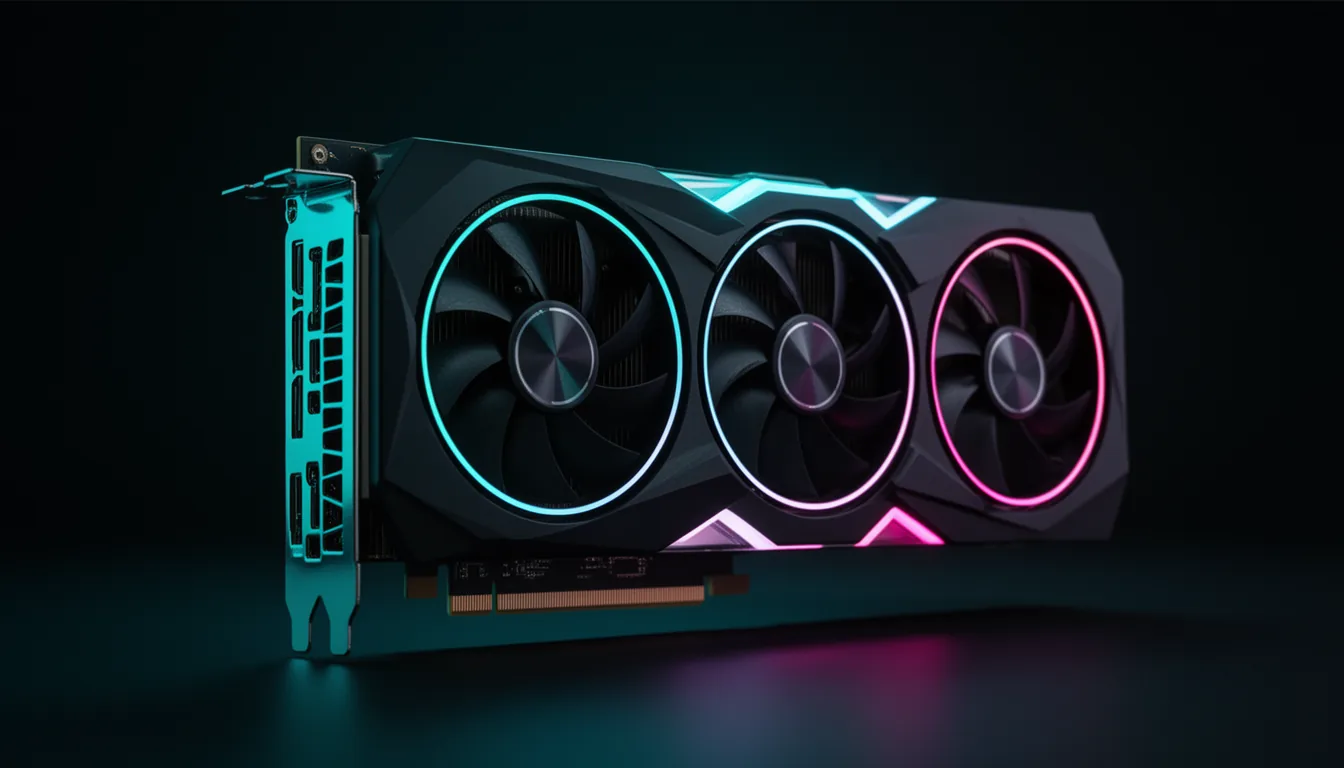
Running Stable Diffusion or Flux on your own machine comes down to one resource before any other: VRAM. A model has to fit in the card's memory to run at all, so VRAM decides which models you can use -- SDXL, SD3.5, Flux.1, the new Flux.2 -- and only then does raw compute decide how fast images come out. Get the VRAM tier right and the rest is speed and budget.
That reframes the whole buying decision. The magic number for 2026 is 16 GB: enough for SDXL with ControlNet and LoRAs stacked, and enough to run Flux.1 dev in FP8, where most of Flux's quality lives. Below that, 12 GB is a working entry point; above it, 24 GB unlocks full-precision Flux and entry AI video, and 32 GB removes the ceiling entirely. Image-gen tooling is also built on CUDA, so NVIDIA leads -- we say exactly where AMD still makes sense.
This guide was produced with AI assistance as part of VerdictBits's research workflow. Every spec, price, and Amazon listing was cross-checked against primary sources before publication; render-speed figures come from independent community benchmarks at a stated resolution and step count, so we cite them as directional, not a single controlled test, and GPU prices in 2026 are shortage-inflated and move weekly -- re-check before you buy.
The picks, at a glance
The verdict, at a glance
Best value 2026
The value winner of 2026: the cheapest new 16 GB card, so SDXL runs with ControlNet and LoRAs stacked, and Flux.1 dev loads in FP8 - at roughly a quarter of a 4090's price.
Serious hobbyist 16GB
The serious-hobbyist 16 GB card: meaningfully faster than the 5060 Ti for people generating all day, while running the same SDXL + Flux.1 FP8 workloads. The step up to a 5080 buys speed, not more VRAM.
Fastest 24GB - full Flux BF16
The fastest 24 GB card and still the community standard - it runs Flux.1 dev at full BF16 without quantisation and handles entry local AI video. The catch is availability: it is discontinued and sold used at a heavy premium.
No-compromise flagship
The only consumer card that removes VRAM as a constraint: 32 GB for big batches, high resolution, Flux.1 BF16 with headroom, Flux.2 dev at Q4, and the practical floor for local AI video. You pay a shortage-inflated street price for it.
Budget door into SDXL
The cheapest card that genuinely works for local image gen. SDXL runs (slowly), and quantised Flux loads. It is the classic budget on-ramp - just don't expect speed or full-precision Flux.
Best $/GB - if you'll tinker
The best dollars-per-GB-VRAM card going - 24 GB, on the used market. But image-gen tooling is built on CUDA, so this is a buy only if your whole stack is ComfyUI on Linux and you'll tolerate ROCm's rough edges. For most people, an NVIDIA card is the smoother path.
How much VRAM each model needs
This is the table most guides skip, and it is the one that actually picks your card. VRAM has to hold the model; if it doesn't fit, the model either won't load or spills to system RAM and crawls. Figures are approximate and depend on resolution, batch size and the exact build:
| Model | FP16 / BF16 | FP8 | Practical floor |
|---|---|---|---|
| SD 1.5 | ~2 GB | ~1.5 GB | 4 GB (6 GB recommended) |
| SDXL (base) | ~8 GB | ~6 GB | 8 GB min, 12 GB comfortable |
| SDXL + refiner / ControlNet / LoRA | ~16 GB+ | ~12 GB | 12-16 GB |
| SD3.5 Large | ~34 GB | ~24 GB | 24 GB |
| Flux.1 Schnell | ~18 GB | ~12 GB | 12 GB (GGUF ~8 GB) |
| Flux.1 dev | ~30-33 GB | ~18-23 GB | 16 GB (FP8) / 24 GB (full BF16) |
| Flux.2 dev (32B) | ~64-90 GB | ~32-45 GB | data-center; consumer = Q4 GGUF (~19 GB) |
Rule of thumb: 12 GB minimum, 16 GB comfortable for SDXL + Flux.1 FP8, 24 GB for full-precision Flux.1 and entry video. Flux.2 dev is a data-center model - consumer cards run only a quantised Q4 GGUF, or the lighter Flux.2 klein.
Render speed by card
Directional: ~30 steps at 1024x1024, community benchmarks - real times swing with sampler, steps and torch.compile. Sources: compute-market, Local AI Master, prompting-pixels.
VRAM decides what runs; this decides how long you wait. Notice the shape: from the RTX 3060 up to a 16 GB 5070 Ti the jump is dramatic (roughly 28 seconds down to 6-7), then it flattens - a 4090 or 5090 shaves a couple more seconds but mostly buys you headroom (bigger batches, higher resolution, full-precision Flux) rather than a night-and-day speed change on a single SDXL image.
The GPUs, ranked
RTX 5060 Ti 16GB -- Best value 2026
16 GB GDDR7 · SDXL ~9-12 s/img · Flux.1 dev in FP8 (~12-16 GB) · Mid tier
Verdict. The value winner of 2026: the cheapest new 16 GB card, so SDXL runs with ControlNet and LoRAs stacked, and Flux.1 dev loads in FP8 - at roughly a quarter of a 4090's price.
Reasons to buy
- The cheapest new 16 GB card
- Runs Flux.1 dev in FP8, where most of Flux's quality is
- SDXL + refiner + ControlNet + multiple LoRAs without spilling
- Newest generation, efficient, widely available
Reasons to avoid
- Slower than the 5070 Ti / 4090 on heavy batches
- No full Flux.1 BF16 (needs 24 GB) - FP8 only
- Sold as many board-partner SKUs - compare sellers
- Not for local AI video (that wants 24-32 GB)
Best for: the cheapest new 16 GB card - SDXL with ControlNet + LoRAs, and Flux.1 where most of its quality lives.
RTX 5070 Ti 16GB -- Serious hobbyist 16GB
16 GB GDDR7 · SDXL ~6-8 s/img · Flux.1 dev in FP8 · Upper-mid tier
Verdict. The serious-hobbyist 16 GB card: meaningfully faster than the 5060 Ti for people generating all day, while running the same SDXL + Flux.1 FP8 workloads. The step up to a 5080 buys speed, not more VRAM.
Reasons to buy
- Noticeably faster 16 GB than the 5060 Ti
- Comfortable SDXL + Flux.1 dev FP8
- GDDR7, current generation, good availability
- Frequently discounted - check the live listing
Reasons to avoid
- Still 16 GB - no full Flux.1 BF16
- Costs roughly 2x the 5060 Ti for a speed bump
- Street price above MSRP outside sales
- 24 GB cards are the call for video / full-precision Flux
Best for: a noticeably faster 16 GB card for people generating all day. The RTX 5080 gives the same 16 GB for ~39% more - hard to justify for image gen.
RTX 4090 24GB -- Fastest 24GB - full Flux BF16
24 GB GDDR6X · SDXL ~5-7 s/img · Flux.1 dev full BF16 (no quantisation) · Discontinued; used market only
Verdict. The fastest 24 GB card and still the community standard - it runs Flux.1 dev at full BF16 without quantisation and handles entry local AI video. The catch is availability: it is discontinued and sold used at a heavy premium.
Reasons to buy
- 24 GB runs Flux.1 dev full BF16 - no quality loss
- ~45% faster per image than a used RTX 3090
- Handles entry local AI video (Wan-class)
- Best-supported card in the whole SD/Flux ecosystem
Reasons to avoid
- Discontinued - scarce and priced like it
- The RTX 5090 is faster and newer if you can pay MSRP-plus
- Used-market risk (mining/heavy-use cards)
- Overkill if you only run SDXL
Best for: running Flux.1 dev at full quality plus entry local AI video - still the community's de-facto standard, if you can find one.
RTX 5090 32GB -- No-compromise flagship
32 GB GDDR7 · SDXL ~4-4.5 s/img · Flux.1 dev BF16 + Flux.2 dev at Q4 · $1,999 launch MSRP
Verdict. The only consumer card that removes VRAM as a constraint: 32 GB for big batches, high resolution, Flux.1 BF16 with headroom, Flux.2 dev at Q4, and the practical floor for local AI video. You pay a shortage-inflated street price for it.
Reasons to buy
- 32 GB GDDR7 - no VRAM ceiling for consumer image gen
- Fastest render times here (~4 s per SDXL image)
- Runs Flux.2 dev at Q4 and is the AI-video floor
- Newest architecture, GDDR7, 1,792 GB/s bandwidth
Reasons to avoid
- Street price runs far above the $1,999 MSRP
- Overkill for SDXL-only workflows
- 575 W-class power - size the PSU around it
- Availability is thin and price swings weekly
Best for: removing VRAM as a constraint entirely - big batches, high-res, and the practical floor for local AI video.
RTX 3060 12GB -- Budget door into SDXL
12 GB GDDR6 · SDXL ~22-35 s/img · GGUF (low-quant) only · Budget tier
Verdict. The cheapest card that genuinely works for local image gen. SDXL runs (slowly), and quantised Flux loads. It is the classic budget on-ramp - just don't expect speed or full-precision Flux.
Reasons to buy
- 12 GB at the entry tier - the budget door
- SDXL runs; GGUF Flux loads at low quant
- Low power, easy on any PSU
- Huge community knowledge base for troubleshooting
Reasons to avoid
- Slow: ~22-35 s per SDXL image
- 12 GB is below the ~13 GB Flux FP8 floor - GGUF only
- No SD3.5 Large or full Flux BF16
- A used 3090/4090 is far faster if the budget stretches
Best for: the cheapest card that genuinely works - SDXL runs and quantised Flux loads. Slow, but it is the classic budget door into local image gen.
AMD RX 7900 XTX 24GB -- Best $/GB - if you'll tinker
24 GB GDDR6 · SDXL variable on ROCm (see below) · FP8/BF16 via ROCm, toolchain rough · Mid tier; strong on the used market
Verdict. The best dollars-per-GB-VRAM card going - 24 GB, on the used market. But image-gen tooling is built on CUDA, so this is a buy only if your whole stack is ComfyUI on Linux and you'll tolerate ROCm's rough edges. For most people, an NVIDIA card is the smoother path.
Reasons to buy
- 24 GB used - unmatched $/GB-VRAM
- ROCm 7.x officially supports it (PyTorch, ComfyUI)
- Fits Flux.1 dev BF16 in its 24 GB
- Strong raster/gaming card as a bonus
Reasons to avoid
- SD/Flux tooling is CUDA-first - AMD runs ~75-85% of throughput
- Mostly Linux; real-world SDXL runs are config-fragile
- Missing the FP16/sparsity accelerators NVIDIA has in hardware
- Flux.2 and newer tools are effectively NVIDIA-only today
Best for: the cheapest 24 GB if your whole stack is ComfyUI on Linux and you accept AMD's rougher software. Otherwise buy NVIDIA.
Value pick by budget
| Budget | Buy | Why |
|---|---|---|
| Entry | RTX 3060 12GB | cheapest working SDXL door; slow but it runs |
| Best value | RTX 5060 Ti 16GB | best value: 16 GB GDDR7, SDXL + Flux.1 FP8 |
| Mainstream | RTX 5070 Ti 16GB | faster 16 GB for all-day generating |
| Value 24 GB (AMD) | RX 7900 XTX 24GB | best $/GB if you'll tinker on Linux/ROCm |
| Enthusiast (used only) | RTX 4090 24GB | full Flux.1 BF16 + entry AI video |
| Flagship | RTX 5090 32GB | no VRAM ceiling; AI-video floor |
Not sure how much VRAM your target model needs? The VRAM calculator covers language models, and for general GPU ranking see the best graphics cards of 2026. Running language models instead of images? That's a different VRAM story in our best GPU for local LLMs guide.
NVIDIA vs AMD for image generation
For image generation specifically, NVIDIA leads by more than driver polish. The Stable Diffusion and Flux ecosystem - Automatic1111, ComfyUI, Forge, diffusers - is built on CUDA and xformers, and NVIDIA's Tensor Cores provide matrix-math acceleration AMD's silicon lacks. That is a hardware gap, not only a software one.
AMD is not out of the conversation, though. ROCm 7.x officially supports the RX 7900 XTX, which runs PyTorch and ComfyUI, and on the used market it is the best dollars-per-GB-VRAM card going - 24 GB that fits Flux.1 dev at BF16. The honest caveats: it is mostly Linux-first, delivers roughly 75-85% of comparable NVIDIA throughput, real-world SDXL runs are more config-fragile, and the newest tools (Flux.2 and much of the video stack) are effectively NVIDIA-only today. Buy the 7900 XTX if your whole stack is ComfyUI on Linux and you enjoy tuning; buy NVIDIA if you want it to just work. Intel Arc can run SD via IPEX but remains an experimental, hobbyist path - not a primary recommendation for serious image work.
Frequently asked questions
What is the best value GPU for Stable Diffusion in 2026?
The RTX 5060 Ti 16GB. It is the cheapest new 16 GB card, which is the sweet spot for image generation: 16 GB runs SDXL with ControlNet and multiple LoRAs stacked, and it loads Flux.1 dev in FP8 - where most of Flux's quality lives - at roughly a quarter of an RTX 4090's price. If you generate all day, the RTX 5070 Ti is a faster 16 GB step up; if you only need occasional SDXL, a used RTX 3060 12GB still works.
How much VRAM do I need for Stable Diffusion and Flux?
For SDXL, 12 GB is the real entry point and 16 GB is comfortable once you add a refiner, ControlNet and LoRAs. Flux.1 dev is the demanding one: it needs about 16 GB to run in FP8 (where most of its quality is) and a full 24 GB to run at native BF16 without quantisation. SD 1.5 is happy on 6-8 GB. The newest Flux.2 dev (a 32-billion-parameter model) is effectively a data-center model - consumer cards only run it as a heavily quantised Q4 GGUF, or you use the lighter Flux.2 klein. In short: 12 GB minimum, 16 GB is the 2026 sweet spot, 24 GB+ for full-precision Flux and video.
Is NVIDIA or AMD better for AI image generation?
NVIDIA, clearly, for image generation specifically. The entire Stable Diffusion and Flux tooling stack - Automatic1111, ComfyUI, Forge, diffusers - is built on CUDA and xformers, and NVIDIA's Tensor Cores give a real hardware advantage that AMD's silicon lacks. AMD's ROCm has become genuinely usable in 2026 (the RX 7900 XTX is officially supported and is the best dollars-per-GB-VRAM card on the used market), but it is mostly Linux-first, runs roughly 75-85% of comparable NVIDIA throughput, and real-world runs are more config-fragile. Buy AMD only if your whole workflow is ComfyUI on Linux and you enjoy tinkering; otherwise buy NVIDIA.
Can a 12GB GPU like the RTX 3060 run Flux?
Only as a quantised GGUF, and slowly. Flux.1 dev's FP8 build needs roughly 13 GB, so a 12 GB card falls just short of running clean FP8 - you are limited to lower-quant GGUF versions, which cost some quality. The RTX 3060 12GB will load them and produce Flux images, but generation is slow and you lose the FP8 fidelity a 16 GB card gets. For Flux specifically, 16 GB (an RTX 5060 Ti) is the card that changes the experience.
What's the difference between Flux.1 and Flux.2 for hardware?
It is a big jump. Flux.1 dev is consumer-runnable: 16 GB in FP8 or 24 GB at full BF16. Flux.2 dev is a 32-billion-parameter model that in full precision wants 64-90 GB - genuinely a data-center model - so on a consumer card you are limited to a heavily quantised Q4 GGUF (around 19 GB) with visible quality loss. Black Forest Labs also released Flux.2 klein, a much smaller 4B/9B variant meant to run on consumer hardware. Most buyer guides blur these together; for planning a purchase, treat Flux.1 dev as the target most cards should hit and Flux.2 dev as aspirational unless you have a 5090 or better.
Should I buy a GPU or rent cloud GPUs for image generation?
Buy if you generate regularly or care about privacy and unlimited output; rent if your use is occasional or you need a data-center card briefly. A 16 GB RTX 5060 Ti pays for itself quickly against per-hour cloud rental if you are generating most days, and everything stays on your machine. Renting an H100/A100 by the hour makes sense only for training, huge batch jobs, or running Flux.2 dev at full precision - things a consumer card can't do. For everyday SDXL and Flux.1, owning a mid-range NVIDIA card is both cheaper over time and simpler.
Related buyer's guides
All reviews →Buyer's guide / AI PCs
DGX Spark vs Strix Halo vs Mac Studio (2026)
Three ways to run a 70B model on one quiet desktop - NVIDIA's CUDA GB10 box, AMD's cheap-and-big Strix Halo, and Apple's high-bandwidth Mac Studio. The head-to-head comes down to memory bandwidth, with measured tok/s and a verdict by use case.
Read the comparison →
Buyer's guide / AI PCs
The best AI PC for running LLMs locally in 2026
Six machines for running large language models on your own hardware — from a Mac mini on-ramp to an NVIDIA GB10 supercomputer — ranked by what actually matters: unified-memory capacity and bandwidth, not NPU TOPS.
6 picks →
Buyer's guide / AI PCs
Best CPU for AI and local LLMs (2026)
The honest version: for pure GPU inference the CPU barely matters — so this guide is organised by when it does. Consumer value, the Intel option, unified-memory APUs that hold models a GPU can't, and the workstation platform you only need for multi-GPU rigs.
6 picks →
Buyer's guide / CPUs
AMD vs Intel for gaming in 2026: which CPU should you buy?
AMD's X3D chips win gaming — decisively at 1080p. But the honest answer depends on resolution: at 4K the gap nearly vanishes. The sourced verdict, the current 2026 chips, prices, and how to match your CPU to your GPU and monitor.
Read the comparison →
Buyer's guide / Memory
How much RAM do you need for gaming in 2026 (and how fast)?
32GB is the 2026 sweet spot; 16GB is the fraying floor. Real per-game usage, the DDR5 speed that actually matters (6000 vs 6400 vs 7200), the AMD vs Intel platform rule, the 8GB-VRAM trap, and a clear buy verdict despite the DRAM price spike.
Read the guide →
Setups / RGB
How to build an RGB PC setup in 2026 that actually looks good
The difference between a chaotic RGB mess and a setup that stops people in their tracks is one thing: it all syncs. Plan the ecosystem (iCUE, Aura, Chroma, Philips Hue, Govee), and shop the gear - glass case, addressable fans, and the ambient wall lighting that does most of the work.
See the guide →