Buyer's guide / 3D rendering
Best GPU for Blender & 3D rendering (2026)
Blender render speed is an OptiX story and scene size is a VRAM story. We rank the cards on cited Blender Open Data scores -- not rounded, unsourced numbers -- explain why NVIDIA leads Cycles, and tell you exactly how much VRAM your scenes actually need.
By Evan Cole · Last updated July 22, 2026
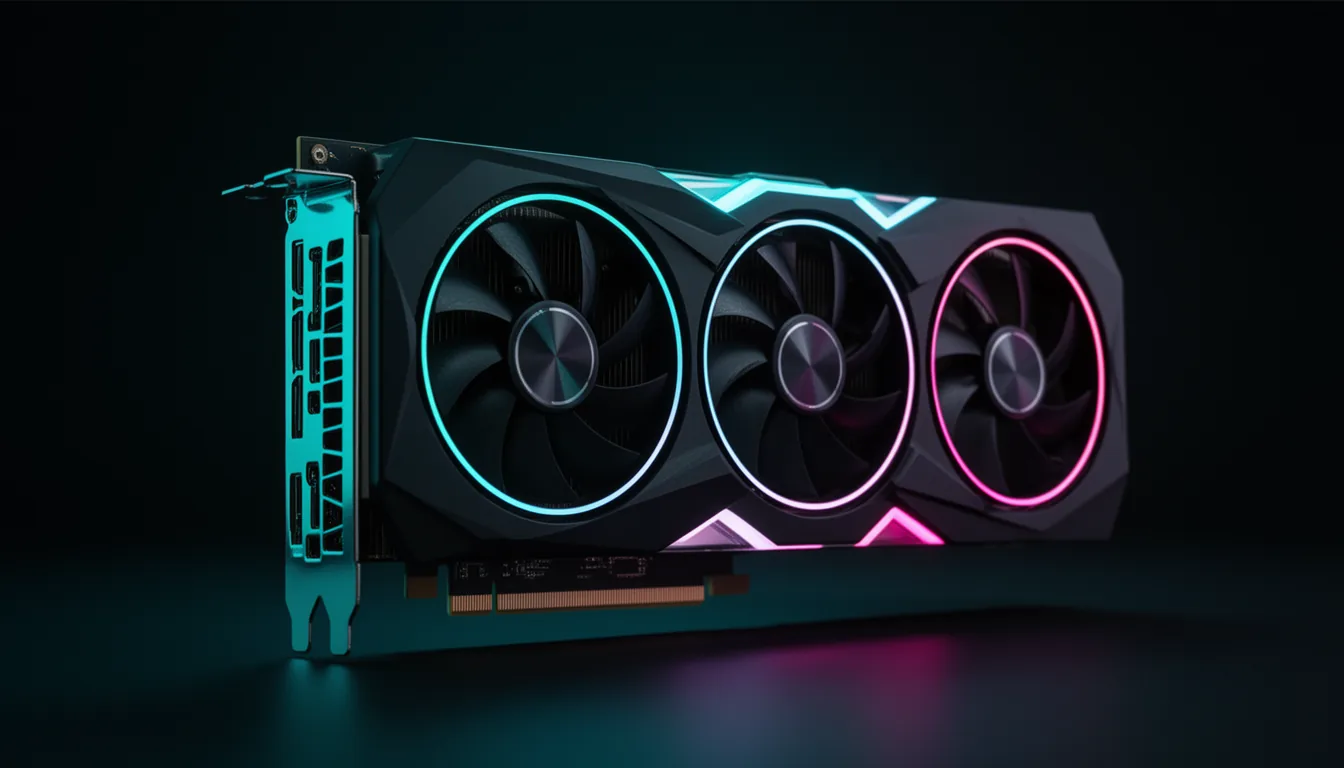
Buying a GPU for Blender comes down to two independent questions. How fast will it render? That is an OptiX story - NVIDIA's RT cores accelerate Cycles path tracing, and the Blender Open Data benchmark measures exactly that. And how big a scene can it handle? That is a VRAM story - memory sets the ceiling on scene size, not the render speed. Get both right and you have the correct card.
We rank on cited Blender Open Data median scores - the official crowd-sourced samples-per-minute figures, with the direct source and the number of submitted runs - rather than the rounded, unsourced "Blender scores" most guides quote. And because Cycles leans on OptiX and the other major GPU renderers favour it (V-Ray GPU is CUDA-only; Redshift and Octane run fastest and best-tested on it), this is largely an NVIDIA field; we are honest about exactly where AMD lands and why.
This guide was produced with AI assistance as part of VerdictBits's research workflow. Render scores are median values pulled from opendata.blender.org (mid-2026), with run counts noted so you can weigh reliability; prices were cross-checked against primary trackers and are volatile - re-check before you buy.
The picks, at a glance
The verdict, at a glance
Best value / price-perf king
The current price/performance king for serious hobbyists: real current-gen OptiX throughput (Open Data ~7,602) and 16 GB for most scenes, at a genuine $749 MSRP. Unless you specifically need 24 GB, this is the one to buy new.
Value king - if you find one used
Still the enthusiast value play in Blender: an Open Data score ~28% above the RTX 5080 and 24 GB of VRAM, the professional sweet spot for archviz and VFX. The catch is supply - it is discontinued and mostly sold used, so it is only 'value' at a fair used price.
Best outright
The fastest consumer render card, full stop: Open Data ~15,042 and 32 GB, so it renders scenes a 24 GB card can't hold and shrugs off dense archviz interiors and big particle scatters. You pay a shortage-inflated street price and, below the 24 GB wall, it is overkill.
Best new-with-warranty mainstream
The best new-with-warranty mainstream card: faster than the 5070 Ti (Open Data ~9,145) with the same 16 GB, at a $999 MSRP. It exists to give you a current, in-stock alternative to gambling on a used 4090 - though the 4090's 24 GB still wins for heavy scenes.
VRAM value / budget-16GB
The budget path to 16 GB. Its compute is slow for Cycles (Open Data ~3,833 - below even an AMD 7900 XTX), but the 16 GB is the point: it lets students and learners fit production-scale scenes that overflow an 8 GB card. Only ever buy the 16 GB variant for Blender.
Best budget entry
The classic first serious Blender card. Open Data ~2,293 and 12 GB at the entry tier - OptiX-capable, comfortable for learning and intermediate work, and backed by a huge community knowledge base. Slow for production, but the right budget on-ramp.
Blender Open Data scores
Median of the monster/junkshop/classroom scenes, scraped from opendata.blender.org (mid-2026). NVIDIA on OptiX; AMD RX 7900 XTX shown on its native HIP backend (not the ZLUDA CUDA-translation entry). 4060 Ti / 3060 scores pool the 8 GB and 16/12 GB variants (same compute).
Two things jump out. First, the gap between AMD's flagship and NVIDIA: the RX 7900 XTX (24 GB) lands between the RTX 4060 Ti and the RTX 4070 Ti Super - a materially cheaper NVIDIA card renders faster in Cycles. Second, the used RTX 4090's staying power: at ~11,684 it still beats the newer RTX 5080 by almost 28%, which is why a fairly-priced used 4090 remains the enthusiast value pick.
Why OptiX makes NVIDIA the default
Cycles is a path tracer, and its dominant cost is ray-triangle intersection. NVIDIA RTX cards carry dedicated RT cores, and Blender's OptiX backend offloads ray traversal onto them - switching a render from CUDA to OptiX alone is a large speedup. AMD's equivalent is HIP (compute) plus HIP-RT (its ray-accel layer), which is newer and less deeply optimised in Cycles, so AMD cards render Cycles more slowly than their gaming tier suggests.
The buyer consequence is decisive: for Cycles, buy NVIDIA unless you have a specific reason not to. And for other GPU renderers, NVIDIA is the safe pick: V-Ray GPU is CUDA-only, and while Redshift and Octane have added AMD (HIP) and Apple (Metal) support, CUDA/OptiX is still their fastest, best-tested path - so AMD's render usefulness is narrower and less mature. That is the honest case, and it is why an AMD flagship can trail a mid-range NVIDIA card in the chart above.
The GPUs, ranked
RTX 5070 Ti -- Best value / price-perf king
Open Data 7,602 · 16 GB GDDR7 · $749 launch MSRP
Verdict. The current price/performance king for serious hobbyists: real current-gen OptiX throughput (Open Data ~7,602) and 16 GB for most scenes, at a genuine $749 MSRP. Unless you specifically need 24 GB, this is the one to buy new.
Reasons to buy
- Strong OptiX Cycles performance for the price (7,602)
- 16 GB GDDR7 handles most serious scenes with texture discipline
- Real $749 MSRP - the sane mainstream buy
- Current generation, warranty, good availability
Reasons to avoid
- 16 GB can bottleneck heavy archviz / 4K-texture scenes
- A used 4090 renders ~54% faster if you find one cheap
- Street price drifts above MSRP outside sales
- Not the pick if you routinely overflow 16 GB
Best for: the sane mainstream buy - current-gen OptiX throughput and 16 GB for most serious scenes, at a real MSRP.
RTX 4090 -- Value king - if you find one used
Open Data 11,684 · 24 GB GDDR6X · Discontinued; used market only
Verdict. Still the enthusiast value play in Blender: an Open Data score ~28% above the RTX 5080 and 24 GB of VRAM, the professional sweet spot for archviz and VFX. The catch is supply - it is discontinued and mostly sold used, so it is only 'value' at a fair used price.
Reasons to buy
- 24 GB - the pro sweet spot for heavy scenes and 4K textures
- ~28% faster in Blender than the 5080; ~54% over a 5070 Ti
- Deeply supported across Cycles, Octane, Redshift, V-Ray
- A used 4090 undercuts the 5090 on price-per-render
Reasons to avoid
- Discontinued and scarce - new cards carry a heavy premium
- Used-market risk (heavy-use / mining cards)
- The RTX 5090 is faster and newer at MSRP
- Overkill if your scenes never approach 24 GB
Best for: the enthusiast value play - 24 GB plus a score ~28% above the 5080, if you can get one at a fair used price.
RTX 5090 -- Best outright
Open Data 15,042 · 32 GB GDDR7 · $1,999 launch MSRP
Verdict. The fastest consumer render card, full stop: Open Data ~15,042 and 32 GB, so it renders scenes a 24 GB card can't hold and shrugs off dense archviz interiors and big particle scatters. You pay a shortage-inflated street price and, below the 24 GB wall, it is overkill.
Reasons to buy
- Fastest here by a clear margin (~28% over the 4090)
- 32 GB clears scenes that overflow every other card
- Newest architecture, GDDR7, top OptiX throughput
- Doubles as a flagship for AI and gaming workloads
Reasons to avoid
- Street price often runs above the $1,999 MSRP
- Diminishing returns unless you actually hit the 24 GB wall
- 575 W-class power - size the PSU and case around it
- A used 4090 is far better value if 24 GB is enough
Best for: money-no-object rendering and the only card that renders scenes 24 GB cannot hold - ~28% faster than a 4090.
RTX 5080 -- Best new-with-warranty mainstream
Open Data 9,145 · 16 GB GDDR7 · $999 launch MSRP
Verdict. The best new-with-warranty mainstream card: faster than the 5070 Ti (Open Data ~9,145) with the same 16 GB, at a $999 MSRP. It exists to give you a current, in-stock alternative to gambling on a used 4090 - though the 4090's 24 GB still wins for heavy scenes.
Reasons to buy
- Faster than the 5070 Ti with new-card warranty (~9,145)
- 16 GB GDDR7, current generation, in stock
- Clean $999 MSRP with real availability
- Strong all-round card for render + game + AI
Reasons to avoid
- Same 16 GB as the cheaper 5070 Ti - you pay for speed only
- A used 4090 offers more VRAM and more render speed
- Below the 5090 / 4090 for scenes needing 24 GB+
- Street price can drift well above MSRP
Best for: a new, in-stock card faster than the 5070 Ti when you want warranty and availability over the used-4090 gamble.
RTX 4060 Ti 16GB -- VRAM value / budget-16GB
Open Data 3,833 · 16 GB GDDR6 · $449-499 launch MSRP
Verdict. The budget path to 16 GB. Its compute is slow for Cycles (Open Data ~3,833 - below even an AMD 7900 XTX), but the 16 GB is the point: it lets students and learners fit production-scale scenes that overflow an 8 GB card. Only ever buy the 16 GB variant for Blender.
Reasons to buy
- 16 GB at the budget tier - fits scenes an 8 GB card can't
- OptiX-capable; renders anything, just slowly
- Low power, easy on any PSU
- The cheapest way to stop hitting VRAM walls
Reasons to avoid
- Slow Cycles compute (3,833) - long render times
- Narrow memory bus limits throughput
- The 8 GB variant scores the same but overflows - avoid it
- A 5070 Ti renders ~2x faster if the budget stretches
Best for: students and learners who need 16 GB to fit production-scale scenes - slow to render, but it won't run out of memory. Buy the 16 GB, never the 8 GB.
RTX 3060 12GB -- Best budget entry
Open Data 2,293 · 12 GB GDDR6 · Budget tier
Verdict. The classic first serious Blender card. Open Data ~2,293 and 12 GB at the entry tier - OptiX-capable, comfortable for learning and intermediate work, and backed by a huge community knowledge base. Slow for production, but the right budget on-ramp.
Reasons to buy
- 12 GB at the entry tier - comfortable hobbyist headroom
- OptiX-capable; full Cycles support
- Low power, runs on any modest PSU
- Enormous community troubleshooting knowledge
Reasons to avoid
- Slow renders (2,293) - not for deadline production work
- 12 GB caps very heavy scenes
- Buy the 12 GB, not the 8 GB variant
- A 4060 Ti 16GB or 5070 Ti is a big step up
Best for: the classic first serious Blender card - OptiX-capable and 12 GB of headroom at the entry tier.
How much VRAM your scenes need
VRAM does not make rendering faster - it sets the ceiling on scene size. If a scene's geometry and textures fit, it renders on the GPU; if it overflows, Cycles falls back to host memory and slows dramatically. Match the tier to your work:
| VRAM | Good for | Watch out |
|---|---|---|
| 8 GB | Learning, product shots, simple scenes | Real overflow risk on production work |
| 12 GB | Comfortable hobbyist / intermediate floor | Caps very heavy scenes |
| 16 GB | Most serious scenes with texture discipline | Tight on 4K-texture archviz |
| 24 GB | Professional sweet spot - archviz, 4K, VFX | Rarely bottlenecks |
| 32 GB | Scenes that overflow 24 GB (dense interiors, big scatters) | Overkill below the 24 GB wall |
Eevee vs Cycles: don't overspend
The whole benchmark above is about Cycles, Blender's physically-based path tracer - RT-core-bound and VRAM-hungry on big scenes. Eevee (and Eevee-Next in Blender 4.2+) is a different engine: a real-time rasteriser for viewport and stylised final output that leans on raster throughput and VRAM, not RT cores. Almost any modern GPU - even an RTX 3060 - drives Eevee smoothly, and a 5090 is wasted on an Eevee-only workflow. So be honest about which engine you live in: if it is Eevee, spend on VRAM and a solid mid-range card; if it is Cycles, OptiX throughput is exactly what you are paying for.
Value pick by budget
| Budget | Buy | Why |
|---|---|---|
| Entry | RTX 3060 12GB | classic first Blender card; OptiX + 12 GB |
| Budget 16 GB | RTX 4060 Ti 16GB | budget path to 16 GB for big scenes (slow compute) |
| Mainstream | RTX 5070 Ti | price/perf king; new-gen OptiX + 16 GB |
| Upper mainstream | RTX 5080 | faster new-with-warranty 16 GB |
| Enthusiast (used only) | RTX 4090 | 24 GB pro sweet spot; value if found cheap |
| Flagship | RTX 5090 | fastest + 32 GB for scenes that overflow 24 GB |
Rendering AI images instead of 3D scenes? The VRAM math is different - see our best GPU for Stable Diffusion & Flux guide. For general GPU ranking, the best graphics cards of 2026 covers gaming and value, and for building around the card see the best developer & creator setup.
Frequently asked questions
What is the best GPU for Blender in 2026?
For most people, the RTX 5070 Ti: it delivers current-generation OptiX render speed (Blender Open Data around 7,602 samples/min) and 16 GB of VRAM at a real $749 MSRP, which is the sane mainstream buy. If money is no object, the RTX 5090 is the fastest card and its 32 GB renders scenes nothing else can hold. And if you can find a used RTX 4090 at a fair price, its 24 GB and ~11,684 score make it the enthusiast value king. Budget builders should look at the RTX 3060 12GB or the RTX 4060 Ti 16GB for VRAM headroom.
Is an AMD RX 7900 XTX good for Blender?
It works, but it trails - and that surprises people. In Blender's Open Data the RX 7900 XTX scores about 4,069 on its native HIP backend, which puts AMD’s flagship between an RTX 4060 Ti (3,833) and an RTX 4070 Ti Super (7,089). The reason is OptiX: NVIDIA's RT cores accelerate Cycles path tracing and AMD's HIP-RT is newer and less optimised. Worse, renderer support beyond Blender is patchier for AMD: V-Ray GPU is CUDA/NVIDIA-only, and while Redshift and Octane have added AMD (HIP) and Apple (Metal) support, NVIDIA + OptiX is still the fastest and best-tested path in all of them. Buy the 7900 XTX only if you also game heavily and render exclusively in Blender; for a rendering-first buyer, a similarly priced NVIDIA card renders faster. (Note: Open Data's higher AMD entry uses ZLUDA, a third-party CUDA-translation layer, not AMD's supported path.)
How much VRAM do I need for Blender?
VRAM does not make rendering faster - it sets the ceiling on how big a scene you can render on the GPU. If geometry plus textures fit in VRAM, it renders on-GPU; if they overflow, Cycles falls back to host memory and slows dramatically or fails. Practical tiers: 8 GB is fine for learning and simple scenes but risks overflow on real work; 12 GB is a comfortable hobbyist floor; 16 GB handles most serious scenes with texture discipline; 24 GB is the professional sweet spot for archviz, 4K textures and VFX; 32 GB is for scenes that overflow 24 GB. Match VRAM to your scene complexity, and buy the 16 GB version of any card (like the 4060 Ti) over the 8 GB one for Blender.
What is OptiX, and why does it make NVIDIA the default for Blender?
Cycles is a path tracer, and its main cost is ray-triangle intersection. NVIDIA RTX cards have dedicated RT cores, and Blender's OptiX backend offloads ray traversal onto them - which is where most of the RT-core speedup comes from (switching a render from CUDA to OptiX alone is a big jump). AMD's equivalent is HIP plus HIP-RT, which is newer and less deeply optimised in Cycles, and Intel uses oneAPI. Because OptiX is the fastest path in Cycles - and CUDA/OptiX is required by V-Ray GPU and the fastest, best-tested path in Octane and Redshift (both of which now also run on AMD/Metal) - NVIDIA is the default recommendation for any serious 3D-rendering buyer.
Is 8GB of VRAM enough for Blender?
For learning, product renders and simple scenes, yes - an 8 GB card renders them fine. The problem is production-scale work: dense geometry and high-resolution textures overflow 8 GB, at which point Cycles spills to system memory and render times balloon, or the render fails outright. That is exactly why the RTX 4060 Ti 16GB matters over the 8 GB version despite identical render speed - the extra VRAM buys scene headroom, not frames. If you are past the learning stage, target 12 GB minimum and 16 GB comfortably.
Do I need a fast GPU if I only use Eevee?
No - Eevee and Eevee-Next are real-time rasterisers, not path tracers, so they lean on raster throughput and VRAM for the viewport rather than RT cores. Almost any modern GPU (even an RTX 3060) drives Eevee smoothly, and a 5090 is overkill for an Eevee-only workflow. The heavy GPU spend is only justified if you render in Cycles (or Octane / Redshift / V-Ray), where OptiX throughput is what you are paying for. If you live in Eevee, spend on VRAM and a solid mid-range card instead of chasing render horsepower.
Related buyer's guides
All reviews →Buyer's guide / AI image generation
Best GPU for Stable Diffusion & Flux (2026)
Local AI image generation is a VRAM game: which cards run SDXL, Flux.1 and Flux.2, with per-model VRAM tiers, real render times, honest NVIDIA-vs-AMD, and the best value pick by budget (the 16GB RTX 5060 Ti).
6 picks →
Buyer's guide / AI PCs
DGX Spark vs Strix Halo vs Mac Studio (2026)
Three ways to run a 70B model on one quiet desktop - NVIDIA's CUDA GB10 box, AMD's cheap-and-big Strix Halo, and Apple's high-bandwidth Mac Studio. The head-to-head comes down to memory bandwidth, with measured tok/s and a verdict by use case.
Read the comparison →
Buyer's guide / AI PCs
The best AI PC for running LLMs locally in 2026
Six machines for running large language models on your own hardware — from a Mac mini on-ramp to an NVIDIA GB10 supercomputer — ranked by what actually matters: unified-memory capacity and bandwidth, not NPU TOPS.
6 picks →
Buyer's guide / AI PCs
Best CPU for AI and local LLMs (2026)
The honest version: for pure GPU inference the CPU barely matters — so this guide is organised by when it does. Consumer value, the Intel option, unified-memory APUs that hold models a GPU can't, and the workstation platform you only need for multi-GPU rigs.
6 picks →
Buyer's guide / CPUs
AMD vs Intel for gaming in 2026: which CPU should you buy?
AMD's X3D chips win gaming — decisively at 1080p. But the honest answer depends on resolution: at 4K the gap nearly vanishes. The sourced verdict, the current 2026 chips, prices, and how to match your CPU to your GPU and monitor.
Read the comparison →
Buyer's guide / Memory
How much RAM do you need for gaming in 2026 (and how fast)?
32GB is the 2026 sweet spot; 16GB is the fraying floor. Real per-game usage, the DDR5 speed that actually matters (6000 vs 6400 vs 7200), the AMD vs Intel platform rule, the 8GB-VRAM trap, and a clear buy verdict despite the DRAM price spike.
Read the guide →